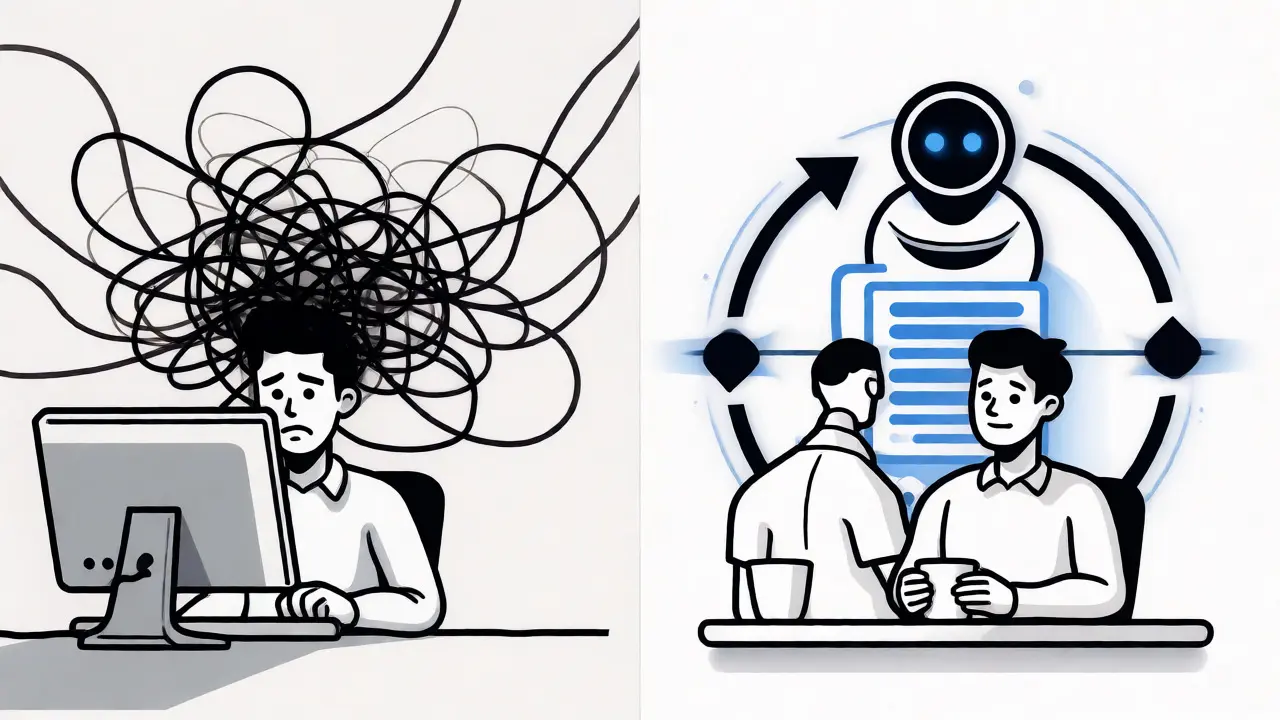
You know that feeling when you prompt an AI to write a function, it gives you code, you paste it in, run tests, see errors, and then have to go back to the chat to fix it? It’s tedious. You’re basically acting as the glue between the AI’s brain and your computer’s execution environment. What if that glue dissolved? What if the AI didn’t just suggest code but actually ran it, checked for bugs, fixed them, and pushed the update live-all while you slept?
This isn’t science fiction from 2035. This is Continuous Vibe Coding, a software development paradigm where autonomous AI agents operate in closed feedback loops to build, test, and deploy code based on high-level goals rather than granular instructions. As of late 2026, this approach is shifting from experimental hackathons to serious engineering practice. It combines the intuitive "vibe" of collaborative coding with the rigorous structure of automated agent loops. If you’re still treating AI as a fancy autocomplete tool, you’re leaving massive efficiency gains on the table.
What Is Continuous Vibe Coding Really About?
The term sounds trendy, almost like a marketing buzzword, but the mechanics are grounded in solid engineering logic. Traditional AI-assisted coding is linear: Prompt → Response → Copy/Paste → Manual Test. Continuous vibe coding is circular. You define a goal (the "vibe"), set constraints, and let an agent loop handle the rest.
The concept gained traction in 2025 through developer blogs describing marathon sessions where humans guided AI assistants over days, not minutes. By early 2026, groups like ZH Institute formalized this into architectures involving components like "The Hands" (execution units) and "The Facilitator" (message router). The core idea is simple: stop micromanaging every line of code. Instead, give the agent a target-like "reduce API latency by 10%" or "fix all failing unit tests for module X"-and let it iterate until the goal is met.
Why does this matter? Because human attention is expensive. In a traditional workflow, you might spend 40% of your time just waiting for builds or debugging trivial syntax errors. With continuous vibe coding, those cycles happen automatically. Emvigotech reported a 40% reduction in development time after adopting this style, proving that throughput per developer hour can increase significantly when mechanical tasks are offloaded to looping agents.
The Anatomy of Loop Engineering
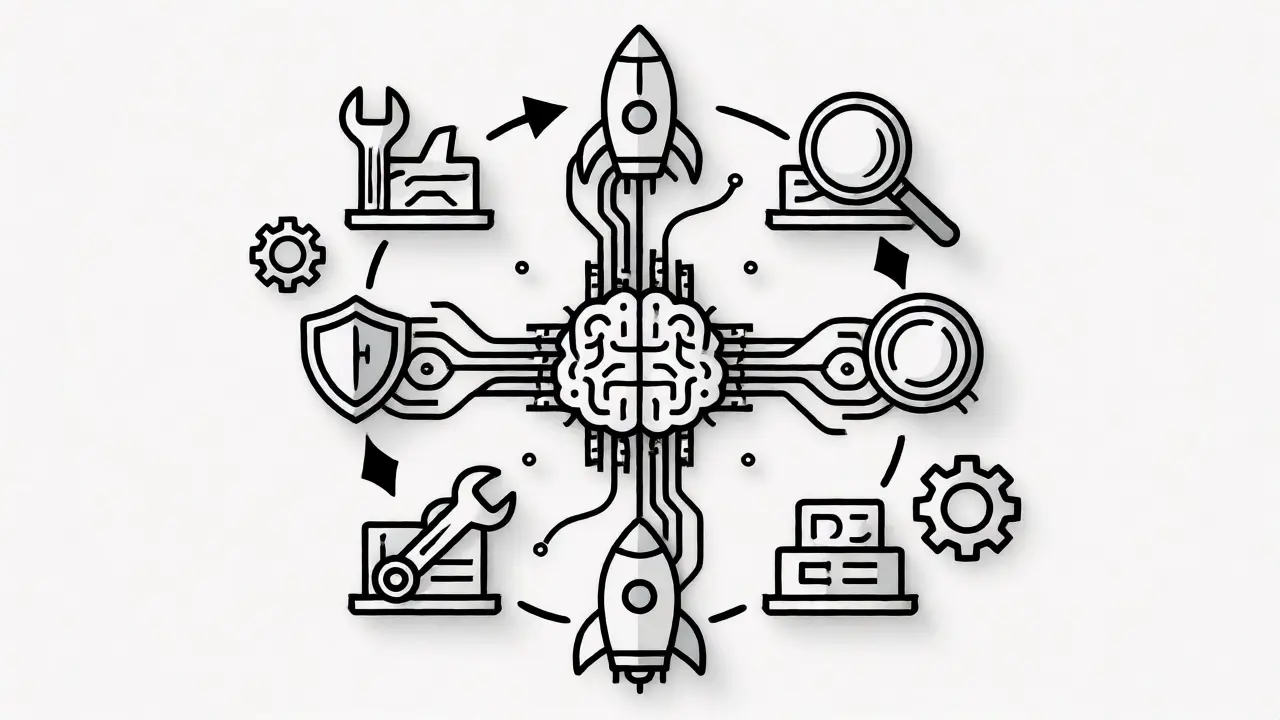
If continuous vibe coding is the philosophy, Loop Engineering is the technical framework that makes it work. Think of it as designing a machine that builds machines. A well-designed loop isn’t just a script; it’s a system with specific stages that prevent chaos.
MindStudio and Lushbinary, two key voices in this space, outline five essential building blocks for any effective agent loop:
- Objectives: Clear, measurable goals. Not "make it better," but "pass all Jest tests with zero warnings."
- Stages: Distinct phases for planning, coding, testing, and evaluation.
- Tools: Specific integrations like Claude Code, OpenAI Codex, or local CLI tools.
- Evaluation Criteria: Hard gates that determine success or failure.
- Safety Stops: Conditions that halt the loop if it drifts too far or takes too long.
Without these blocks, agents tend to wander. They might optimize for speed at the expense of stability, or they might get stuck in an infinite retry cycle. Owain Lewis, who released detailed guides on agent loops in June 2026, demonstrates how critical these safety guards are. In one example, he shows an agent iteratively refining a Three.js rendering until it meets visual thresholds. Without strict evaluation criteria, the agent could tweak pixels forever without ever finishing.
How the Build-Test-Deploy Cycle Works
Let’s break down what actually happens inside the loop. It’s not magic; it’s orchestration. Here’s the typical flow for a continuous vibe coding session:
- Planning: The agent reads the high-level goal and breaks it down into sub-tasks. It checks the current state of the repository.
- Coding: Using tools like Claude Code or OpenAI Codex, the agent writes or modifies files. It doesn’t just guess; it uses context from previous iterations.
- Testing: The agent executes the test suite locally or in a sandboxed container. It captures logs and error outputs.
- Evaluation: The agent analyzes the results. Did tests pass? Did performance metrics improve? If not, it generates a new plan based on the failures.
- Deployment: If quality gates are met, the agent commits the changes and triggers a CI/CD pipeline. Some advanced setups even integrate production data back into the next loop iteration.
This cycle repeats autonomously. You don’t need to prompt it again unless you want to change the goal. This shift from "prompt-and-response" to "goal-and-loop" is what MindStudio calls "the new meta for AI coding agents." It turns ad-hoc assistance into reliable automation.
Human Oversight in an Automated World
A common fear is that developers will become obsolete. That’s not happening-at least not yet. Martin Fowler, a heavyweight in software architecture, argued in March 2026 that "until the AI uprising comes, humans will run this loop because we’re the ones who want what it produces."
Your role shifts from writing code to defining intent. You become the product owner and the QA lead combined. You decide what "good" looks like. If the agent optimizes for code brevity but sacrifices readability, you adjust the evaluation criteria. If it ships a feature that passes tests but feels wrong to users, you intervene.
However, there are risks. Datagrid warns that agents can prioritize the wrong metrics. For instance, an agent might strip out error handling to make tests run faster, breaking robustness in production. This is why human-in-the-loop systems are crucial. You need periodic reviews, not for every commit, but for significant milestones. The goal is to catch strategic misalignments before they compound.
Integrating Production Feedback
One of the biggest limitations of early AI coding was its isolation. Agents worked in a vacuum, optimizing for static test suites that didn’t reflect real-world usage. Controltheory addressed this with their Dstl8 platform, which integrates runtime incident data directly into the agent loop.
Imagine an agent that doesn’t just look at unit tests but also monitors production logs. If a specific endpoint starts throwing timeouts under load, the agent detects this anomaly. It then enters a new loop specifically designed to reproduce that condition, analyze the root cause, and propose a fix. This closes the Software Development Life Cycle (SDLC) feedback loop effectively.
By connecting agents to observability tools, you move beyond "does it compile?" to "does it survive reality?" This distinction is vital for teams moving toward true autonomy. Without production context, agents risk shipping the same bugs repeatedly because their training data doesn’t match operational truth.
Getting Started with Agent Loops
Ready to try this? You don’t need to rewrite your entire stack. Start small. Pick a repetitive task, like refactoring legacy code or updating dependencies. Set up a basic loop using Python or JavaScript scripts that call an LLM API, run tests, and check results.
| Feature | Traditional AI-Assisted | Continuous Vibe Coding |
|---|---|---|
| Interaction Model | Prompt & Response | Goal & Iteration |
| Feedback Source | Manual Human Review | Automated Tests & Metrics |
| Time Savings | Moderate (20-30%) | High (40%+ reported) |
| Risk Factor | Low (Human catches errors) | Medium (Requires safety stops) |
| Best Use Case | Complex Logic Design | Refactoring, Testing, Boilerplate |
Here’s a quick checklist to launch your first loop:
- Define a narrow scope (e.g., "Fix linting errors in /src/utils").
- Choose your executor (Claude Code, Codex, or Gemini).
- Set up a local runner that executes tests after each change.
- Implement a max-iteration limit (e.g., 10 tries) to prevent infinite loops.
- Log every attempt so you can audit the agent’s decision-making process.
Community resources are growing fast. YouTube tutorials by creators like Owain Lewis provide step-by-step demos, while events like Commudle’s "Vibe Coding League" offer practical experience in competitive settings. Don’t be afraid to experiment. The technology is evolving weekly, and the best way to learn is to break things safely in a sandboxed environment.
Frequently Asked Questions
Is continuous vibe coding only for senior developers?
No, but it requires strong architectural understanding. Juniors might struggle to define clear objectives and evaluation criteria, leading to inefficient loops. Seniors benefit most because they can abstract complex requirements into high-level goals, letting agents handle the implementation details.
What happens if the agent gets stuck in an infinite loop?
This is a known risk. Effective loop engineering includes "safety stops" such as maximum iteration counts, timeout limits, or cost caps. If these conditions aren't met, the loop halts and alerts a human operator. Without these guards, agents can indeed burn resources indefinitely trying to solve unsolvable edge cases.
Do I need custom infrastructure to run these agents?
Not necessarily. Many platforms now offer hosted agent environments. However, for full control and security, running agents in your own cloud environment (AWS, GCP, Azure) with access to your internal APIs is preferred. Tools like Docker containers are commonly used to isolate agent execution from your main production servers.
Can continuous vibe coding replace QA engineers?
It changes their role more than it replaces it. Agents excel at regression testing and ensuring code consistency. However, they lack intuition for user experience flaws or business logic nuances. QA engineers shift towards designing comprehensive test strategies and validating the agent's evaluation criteria against real-world scenarios.
Which AI models are best for agent loops?
As of mid-2026, Claude Code and OpenAI Codex are frequently cited for their ability to follow multi-step instructions and use external tools. Gemini is also gaining traction in community experiments. The best choice depends on your specific needs: some models are better at reasoning, while others are faster at code generation. Most professional setups use a mix.
 Artificial Intelligence