

When your large language model goes down, it’s not just a glitch-it’s a business outage. Imagine a customer service chatbot powered by a 70B-parameter model suddenly unreachable during peak hours. Or a medical diagnostics tool, trained on thousands of patient records, crashing because of a regional cloud outage. These aren’t hypotheticals. In 2024, 68% of enterprises with mission-critical LLMs had formal disaster recovery plans-up from 22% just a year earlier. The difference between recovery in 15 minutes versus 4 hours? Millions in lost revenue, damaged trust, and regulatory risk.
What Exactly Needs Protecting in LLM Infrastructure?
Most people think of backups as copying files. For LLMs, it’s far more complex. You’re not just backing up code-you’re protecting three core assets:- Model weights: These are the learned parameters. A 13B-parameter model in FP16 format takes about 26GB. A 70B model? Around 140GB. A 100B model? Nearly 200GB. These files aren’t small. They’re the brain of your AI.
- Training datasets: Often terabytes in size. If you lose your dataset, you don’t just lose the model-you lose the context it was trained on. Retraining from scratch could take weeks.
- Inference APIs and configurations: The endpoints that serve predictions. If these go offline, your users can’t interact with the model at all.
And it’s not enough to just save them. You need to preserve the exact state: which version of the model, what hyperparameters were used, what environment variables were set. A backup without context is useless.
How Often Should You Backup?
Backups aren’t one-size-fits-all. They depend on what you’re protecting and how fast you need to recover.For model checkpoints during training, the standard is every 1,000 to 5,000 steps. If your training runs for days, you might save 10-20 checkpoints. Use incremental backups to avoid storing full copies each time. That cuts storage costs by up to 70%.
For inference endpoints, you need near-real-time sync. Recovery Point Objective (RPO) targets are often 5 minutes or less. That means your system must continuously replicate model state, logs, and API configurations to a secondary region.
Training datasets? You can afford longer RPOs-24 hours is common. But you still need version control. If your dataset gets corrupted or poisoned, you need to roll back to a clean version from last week, not yesterday.
Failover: Getting Back Online Fast
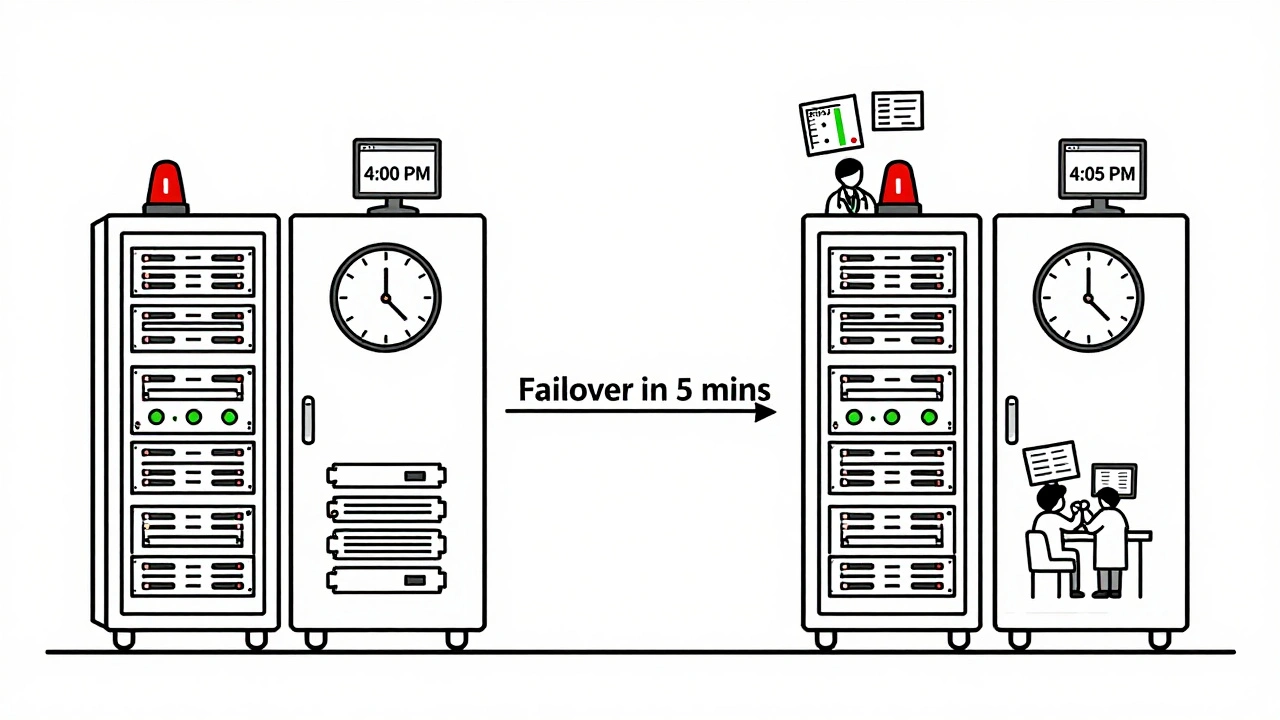
Backing up is only half the battle. Failover is what gets you back in business.Failover means automatically switching traffic from a failed region to a healthy one. But it’s not just flipping a switch. Here’s what it takes:
- Redundant infrastructure: You need at least two geographically separate regions-say, US East and US West. Some companies use three for extra safety.
- Automated traffic routing: Tools like AWS Route 53, Google Cloud Load Balancing, or Azure Traffic Manager detect when an endpoint is down and redirect requests. This must happen in under 30 seconds.
- Synchronized model state: The standby region must have the latest model weights and configuration. If it’s even one checkpoint behind, predictions become unreliable.
- Tested recovery scripts: Manual failover doesn’t work under pressure. You need automated scripts that run without human input. And you must test them monthly.
Companies that do this right see recovery times under 30 minutes. Those that don’t? They’re stuck waiting for engineers to manually copy files, reconfigure servers, and restart services-often taking 4+ hours.
Cloud Provider Differences Matter
You can’t assume your cloud provider has your back. Each handles LLM disaster recovery differently.| Provider | Native Cross-Region Replication | Average RTO | Key Limitation |
|---|---|---|---|
| AWS (SageMaker) | No (manual setup required) | 47 minutes | No built-in model registry sync |
| Google Cloud (Vertex AI) | Partial (requires customization) | 32 minutes | Complex orchestration needed |
| Microsoft Azure | Yes (automated) | 22 minutes | Higher cost for multi-region deployment |
| Tencent Cloud | Yes (with PIPL compliance) | 28 minutes | Primarily optimized for Asian markets |
As of late 2024, Azure leads in automation. AWS and Google require heavy customization. If you’re using SageMaker, you’re responsible for copying model artifacts across regions yourself. That means writing scripts, scheduling cron jobs, and monitoring storage syncs. It’s doable-but it’s not plug-and-play.
What Happens When You Skip Disaster Recovery?
The AI Infrastructure Consortium analyzed 147 LLM outages in 2024. Here’s what they found:- 32% of failures happened because backups were incomplete-missing config files, or only saving weights, not datasets.
- 41% of failures were due to untested recovery plans. Teams assumed their scripts worked-until the real outage hit.
- 28% of failures came from underestimating bandwidth. Transferring a 200GB model over a 1Gbps link takes over 27 minutes. If your network is congested? It could take hours.
One financial services firm lost $2.3 million in trading revenue over 6 hours when their LLM risk model went offline. They hadn’t backed up their training data in 11 days. When the primary server failed, they had to retrain from scratch. That took 17 days.
How to Start Building a Plan
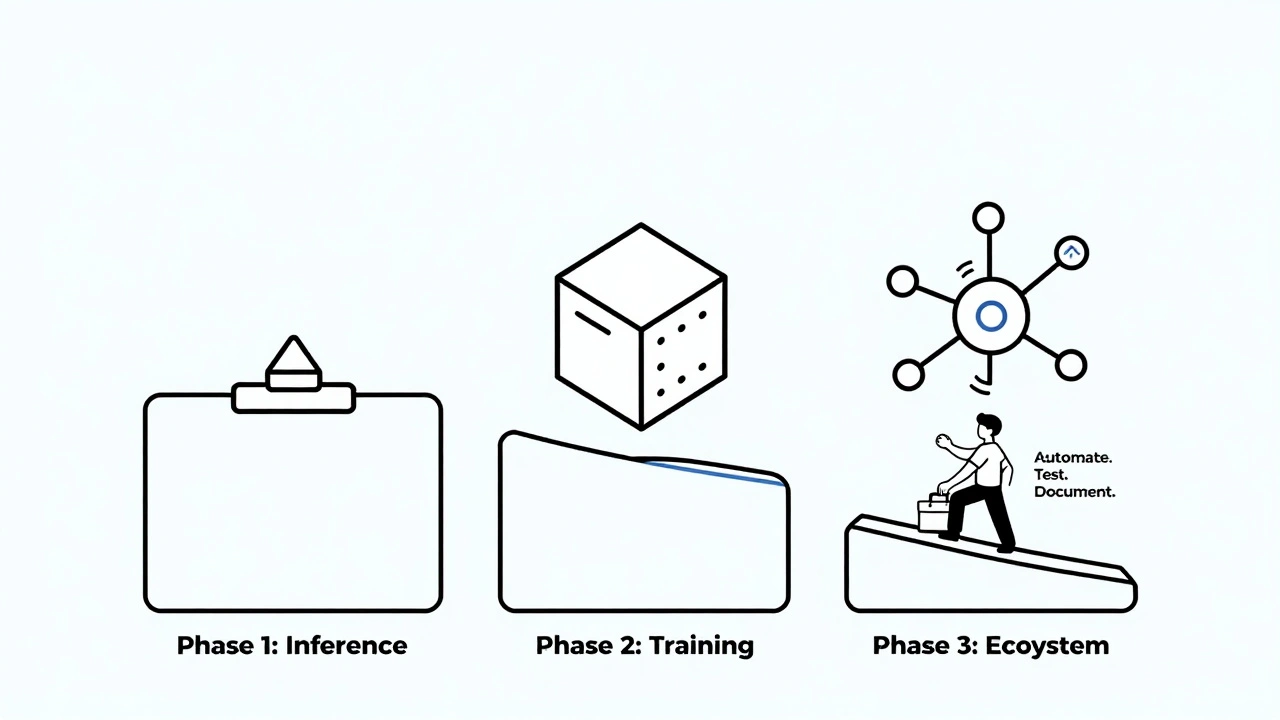
You don’t need to do everything at once. Start with a phased approach:- Phase 1: Protect Inference (Weeks 1-6)
- Set up automated backups of model weights and API configs to a secondary region.
- Deploy a standby endpoint with load balancer failover.
- Test failover with simulated outages.
- Phase 2: Secure Training (Weeks 7-12)
- Automate incremental backups of training datasets and checkpoints.
- Store backups in immutable storage (like S3 Object Lock or Azure Blob Immutable Storage).
- Ensure version control for datasets and model artifacts.
- Phase 3: Full Ecosystem (Weeks 13-16)
- Integrate monitoring for model drift, latency spikes, and accuracy drops.
- Automate alerts that trigger failover if thresholds are breached.
- Document communication plans for stakeholders during outages.
Teams that follow this path cut recovery time by 63% compared to those using generic IT DR plans, according to MIT’s 2025 study.
Common Pitfalls and How to Avoid Them
Most LLM disaster recovery failures aren’t technical-they’re organizational.- Assuming the cloud provider handles it: AWS and Google don’t auto-replicate your models. You have to build it.
- Ignoring compliance: If you’re in healthcare or finance, GDPR, HIPAA, or PIPL may require data to stay in specific regions. Your backup strategy must comply.
- Not testing often enough: Run a full failover drill every 60 days. Use chaos engineering tools like Gremlin to simulate region outages.
- Overlooking model drift: A backup of an outdated model is worse than no backup. Monitor prediction accuracy daily. If performance drops 5% in 24 hours, trigger a review.
What’s Changing in 2025?
The field is evolving fast. In November 2024, AWS launched SageMaker Model Registry with cross-region replication. Google’s December 2024 release of Vertex AI Disaster Recovery Manager automated failover orchestration. Microsoft announced native multi-region model deployment in January 2025.By 2026, Gartner predicts 95% of enterprise LLM deployments will include specialized disaster recovery. The biggest shift? AI-powered prediction. New tools can now analyze logs and metrics to forecast failures before they happen. Early adopters report 42% fewer unplanned outages.
But risks remain. Vendor lock-in is a growing concern. If you build your DR plan around one cloud’s tools, switching later could cost millions. And as models grow to 1T+ parameters, storage and transfer costs will balloon. You’ll need to choose: do you keep multiple full copies, or rely on faster retraining from smaller checkpoints?
Final Thought: It’s Not Optional Anymore
Disaster recovery for LLMs isn’t a nice-to-have. It’s a core part of your AI strategy. If your model powers customer interactions, financial decisions, or medical advice, downtime isn’t just inconvenient-it’s dangerous.Start small. Protect your inference endpoints first. Test your backups. Automate your failover. Document everything. And don’t wait until the system crashes to realize you’re unprepared. The cost of waiting is far higher than the cost of building resilience now.
What’s the difference between RTO and RPO in LLM disaster recovery?
RTO (Recovery Time Objective) is how long it takes to get your LLM back online after a failure. For critical inference APIs, aim for under 30 minutes. RPO (Recovery Point Objective) is how much data you’re willing to lose. For model checkpoints, 5 minutes is common. For training data, 24 hours is acceptable. RTO is about speed; RPO is about data freshness.
Can I use the same backup system for my LLM and my traditional apps?
Not really. Traditional apps back up databases and code. LLMs require backing up massive model weights (hundreds of GBs), training datasets (terabytes), and complex configurations. You need storage systems designed for large files, incremental backups, and version control. A standard backup tool won’t handle 200GB model files efficiently.
Do I need to replicate my entire training dataset to another region?
No-unless you plan to retrain from scratch in another region. Most teams keep a single, immutable copy of the full dataset in a secure, durable location. Instead, they back up only the latest training checkpoint and the dataset version used. This saves massive storage costs while still allowing recovery.
How much does LLM disaster recovery cost?
It varies. For a 13B model, you’ll need at least 2x the storage (primary + backup) plus cross-region bandwidth and redundant compute. One company reported an 87% increase in storage costs after adding cross-region replication. Total annual cost can range from $50,000 to $500,000 depending on model size and redundancy level. But downtime costs more-often millions per hour.
Is it better to use one cloud or multiple clouds for LLM disaster recovery?
Multi-cloud adds complexity but reduces vendor lock-in risk. Most enterprises stick with one cloud for simplicity. If you go multi-cloud, you’ll need to manage different APIs, storage formats, and compliance rules. Only do it if you have the expertise-or if regulatory rules force you to spread data across regions.
What skills does my team need to implement LLM disaster recovery?
Your team needs cloud infrastructure expertise (AWS/Azure/GCP), experience with distributed storage, knowledge of LLM training/inference pipelines, and scripting skills for automation. Most companies report needing to hire or train staff specifically for this-73% of organizations say it’s a skills gap. Don’t expect your DevOps team to handle this without upskilling.
 Artificial Intelligence



Tyler Durden
December 14, 2025 AT 00:38Man, I’ve seen teams treat LLM backups like they’re backing up a Word doc. 🤦♂️ One company I worked with lost 3 weeks of training data because they used rsync on a 1.2TB dataset and the drive crashed mid-copy. Incremental backups aren’t optional-they’re your lifeline. And don’t even get me started on people who think ‘cloud = automatic backup.’ Nope. You’re still the sysadmin. Period.
Aafreen Khan
December 15, 2025 AT 16:23lol wtf is RPO?? 😅 i thought it was a type of coffee. anyway, why tf do u need 200gb backups?? just retrain on 10% of the data lol. also, azure is overpriced, use gcp + free tier. my cousin in bangalore does it for $2/month. 🤑 #techbrohacks
Pamela Watson
December 15, 2025 AT 17:20Wait so you mean I can't just hit save on my laptop and call it a day? 😳 I thought AI was supposed to be magic. My boss said we don't need backups because 'the cloud is always on.' But now I'm scared. Do I need to buy a new hard drive? Should I text my IT guy? He doesn't answer texts. 😭
michael T
December 16, 2025 AT 23:59They say ‘start small’ but let’s be real-this is a fucking dumpster fire waiting to happen. You think your 70B model’s gonna chill while you sip coffee and wait for a cron job to finish? Nah. That thing’s got more neurons than your ex’s emotional stability. And when it dies? You’ll be begging AWS to resurrect it like a zombie. I’ve seen it. I’ve cried. I’ve had to explain to investors why the chatbot just said ‘I’m not your therapist’ to a suicidal customer. Don’t wait. Backup. Now. Or you’ll be the guy holding the bag while the whole company burns.
Stephanie Serblowski
December 17, 2025 AT 07:41Okay but can we talk about how wild it is that we’re treating AI like nuclear reactors? 🤯 We’ve gone from ‘just deploy a model’ to ‘oh btw you need multi-region immutable storage with versioned checkpoints and chaos engineering drills’… and honestly? It’s kinda beautiful. We’re building the infrastructure of trust. And yes, it’s expensive. And yes, it’s complex. But if your LLM is helping diagnose cancer or approve loans? You don’t get to cut corners. This isn’t DevOps anymore-it’s digital ethics. 🌍✨