
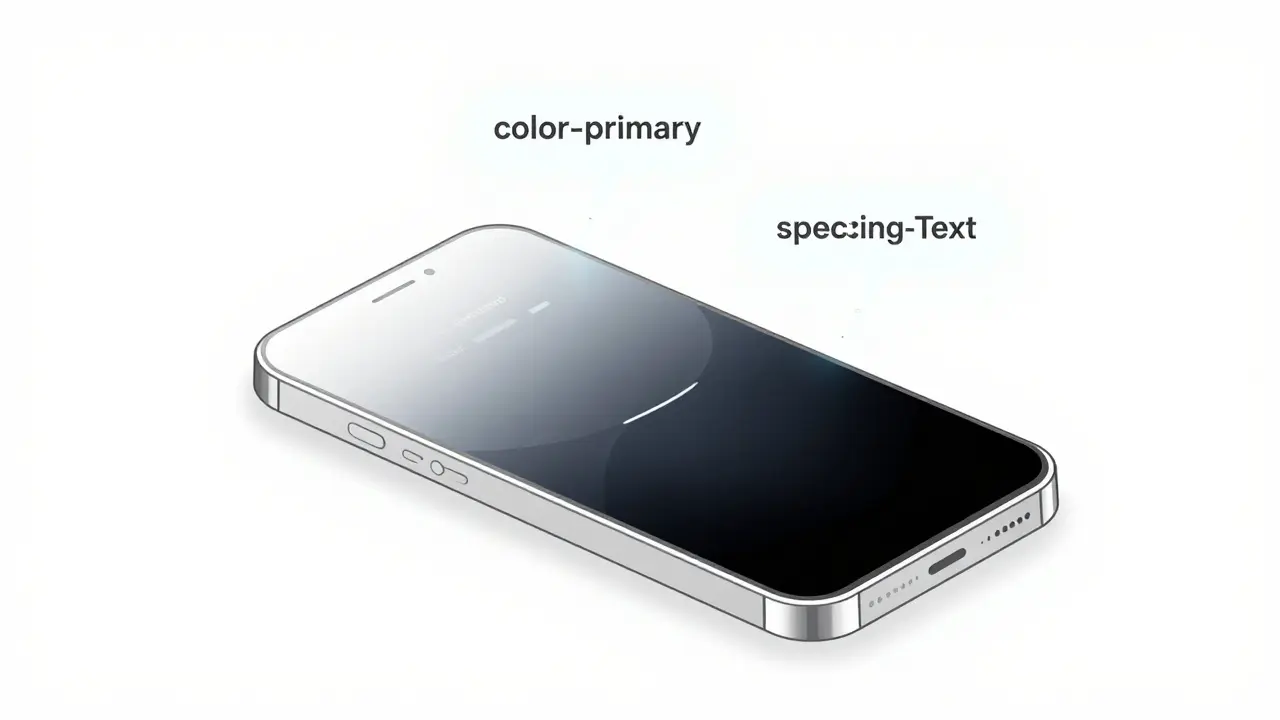
When you switch your phone from light mode to dark mode, or change the theme of a web app from blue to green, you’re not manually rewriting hundreds of CSS rules. You’re using design tokens-the invisible backbone of modern UI systems. These aren’t just variables or color codes. They’re the structured, semantic language that lets AI and humans work together to keep interfaces consistent, scalable, and adaptable across platforms. And as of 2026, they’re no longer optional-they’re the foundation of every professional design system.
What Are Design Tokens, Really?
Design tokens are named values that represent visual design decisions: colors, spacing, font sizes, border radii, shadows, and more. But unlike raw hex codes or pixel values, they’re wrapped in meaning. Instead of writing #FF0000, you write color-primary. Instead of 16px, you write spacing-md. This shift-from raw values to semantic names-is what makes them powerful.
Think of them like ingredients in a recipe. You don’t tell a chef to use “37.5g of sodium chloride.” You say “salt.” Design tokens do the same for UI. The system knows that color-primary might be red in one theme and blue in another, but the component always calls it by name. The value changes. The meaning stays.
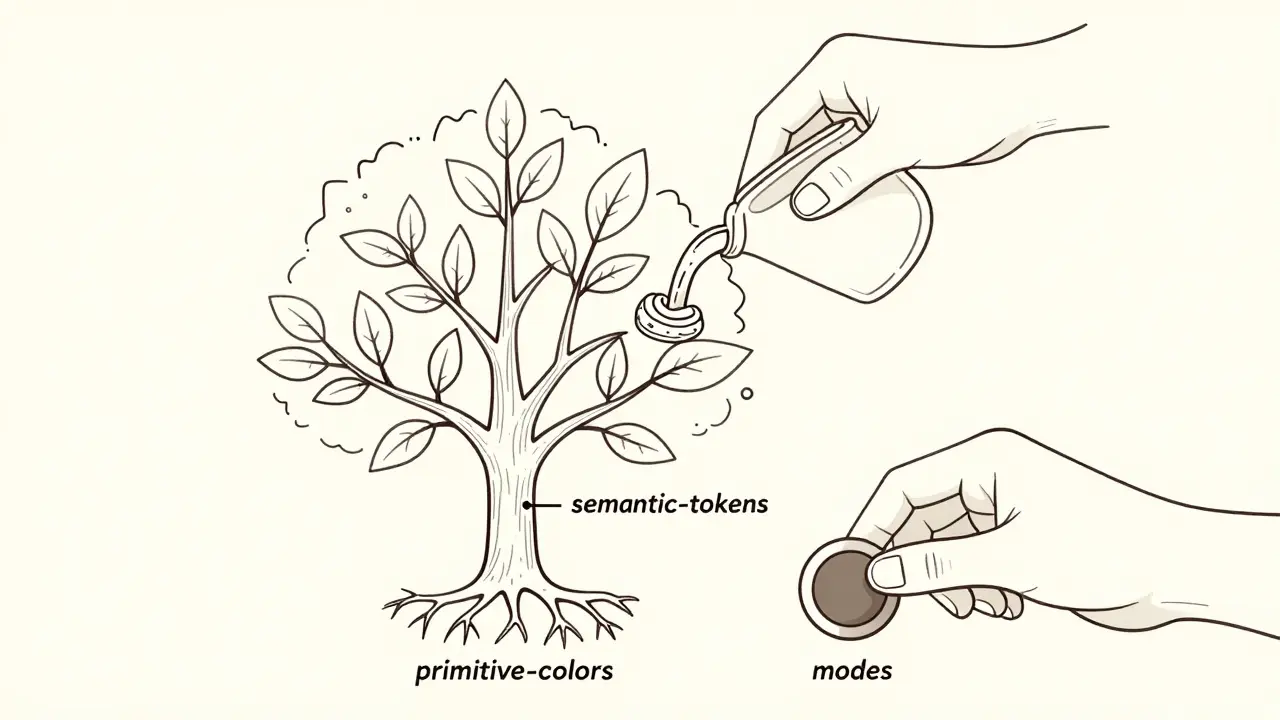
Primitive tokens are the base layer: #1A1A1A, 12px, 0.5. Semantic tokens build on top: color-background might reference primitive-gray-900, while color-error references primitive-red-500. This separation lets you change the entire look of an app by swapping one primitive value-no need to hunt down every button, card, or input.
How AI Is Changing the Game
Before 2022, creating tokens was manual. Designers exported colors from Figma, developers copied them into CSS files, and someone-usually the lead engineer-spent hours naming everything. Teams argued over whether it was button-height or control-height. Mistakes slipped through. Consistency broke.
Now, AI tools scan your Figma or Sketch files and automatically generate tokens. Tools like Figma’s Token AI Assistant (released December 2024) analyze your design system and suggest semantic names with 89% accuracy. It spots patterns: “All your primary buttons use this shade of blue. Should I call it color-primary-action?” It even flags inconsistencies-like a button with 14px padding next to others with 16px-and suggests fixes.
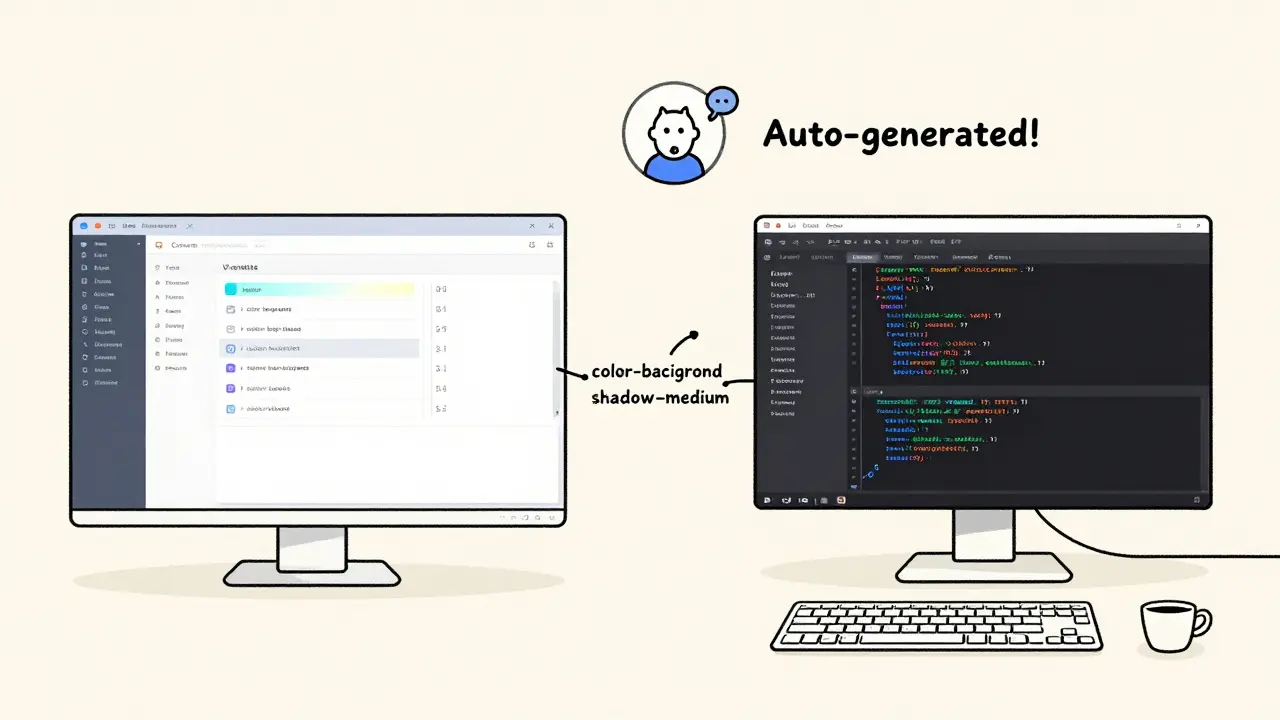
Enterprise teams report a 73% drop in design-to-code mismatches since adopting AI-powered token generation. One team at a fintech startup cut their theme rollout time from two weeks to 36 hours. How? The AI didn’t just name tokens-it auto-generated CSS, Swift, and JSON outputs, synced them with their design system, and pushed updates to their GitHub repo. No manual copy-paste. No “I thought you meant...”
Theming: Light, Dark, and Beyond
Theming isn’t just about dark mode anymore. It’s about brand variants, regional UIs, accessibility overrides, and even user preferences. Design tokens make this possible through modes.
A mode is a set of token overrides. For example:
- Light mode:
color-background=#FFFFFF,color-text=#000000 - Dark mode:
color-background=#121212,color-text=#F0F0F0 - High-contrast mode:
color-text=#000000,color-border=#000000,border-width=2px
You define these once. Then every component-buttons, modals, navbars-automatically adapts. No conditional logic in code. No CSS overrides. Just a single toggle. Material Design 3 uses this exact system, and it’s now the standard for Android and web apps. Even better, AI can now auto-generate accessible color pairs. Google’s Dynamic Color Tokens system, launched in 2024, takes one brand color and generates a full palette that meets WCAG 2.2 contrast ratios. It’s not magic-it’s math, automated.
Why Figma Variables Are a Game-Changer
Figma’s Variables feature (released March 2023) was the first major design tool to natively support tokens. Before that, teams used plugins or manual exports. Now, designers can create color, text, and spacing variables directly in Figma. Change one variable, and every instance updates-across files, teams, and platforms.
But here’s the real win: Figma Variables sync with code. Tools like Style Dictionary and Zeroheight pull those variables into your frontend codebase. When a designer changes the primary color in Figma, the iOS app, web app, and Android app all update within hours-not days. That’s not efficiency. That’s alignment.
Teams using Figma Variables report a 60% reduction in design feedback loops. No more “Can you make the button 2px taller?” because the designer already changed the spacing-button-height token. The change is live.
The Hidden Cost: Learning and Oversight
It’s not all smooth sailing. AI-generated tokens can be lazy. They might name a token color-blue-1 instead of color-primary. They might miss context-like a brand guideline that says “never use red for success states.” That’s where human judgment still wins.
Over-reliance on AI risks homogenizing design systems. A 2024 survey by InVision found that 37% of design leaders worried AI would erase unique brand expression. One company saw all its apps start looking identical after the AI auto-generated tokens. They had to step back, audit every token, and re-apply brand rules manually.
Also, the learning curve is real. Non-technical designers struggle with token architecture. A Figma user on Reddit said: “I didn’t know what a semantic token was until my dev team explained it. Now I get it-but it took three weeks.” Documentation varies. Figma’s guides score 4.3/5. Open-source tools like Style Dictionary? 3.8/5. You need training. You need clear naming conventions. You need someone to own the system.
Who’s Using This-and How
Fortune 500 companies? 68% use AI-enhanced token systems. Startups? 42%. The difference? Scale. If you have 50+ UI components, tokens save hours. If you have 8, manual CSS is faster.
Here’s how successful teams roll it out:
- Start with primitives. Define your base colors, spacing, fonts. No semantics yet.
- Build semantic tokens. Map
color-primarytoprimitive-blue-600.spacing-xsto4px. - Add modes. Create light/dark/high-contrast variations.
- Integrate with code. Use Style Dictionary or Figma’s sync tools to auto-generate CSS, Swift, or React styles.
- Keep humans in the loop. Audit token names weekly. Review AI suggestions. Protect brand integrity.
One SaaS company cut their design handoff time from 4 days to 8 hours. Their dev team stopped asking for screenshots. Their QA team stopped logging “visual mismatch” bugs. Their users didn’t notice a difference-until they switched themes and everything just worked.
The Future: AI That Predicts, Not Just Generates
By 2026, Forrester predicts 65% of design tokens will be AI-generated. That’s up from 28% in 2024. But the next leap isn’t just automation-it’s prediction.
Imagine: You design a new card component. The AI looks at your past tokens, your brand guidelines, and your accessibility standards. Then it suggests: “Use color-surface for the background. Use shadow-medium for depth. Here’s the contrast ratio: 5.1:1-good. Here’s how it looks in dark mode.”
That’s not fantasy. Adobe’s Project TokenFlow (announced November 2024) is building exactly that. Real-time sync between design and code. AI that predicts not just values, but intent.
But here’s the catch: the best systems don’t replace designers. They empower them. The goal isn’t to remove humans from the loop. It’s to free them from repetitive tasks so they can focus on what matters: emotion, personality, and experience.
Final Thought: Tokens Are the New Language
Design tokens aren’t just a tool. They’re a shared language between designers, developers, and AI. They turn guesswork into precision. They turn chaos into consistency. They let you theme an app across ten platforms without breaking a sweat.
If you’re building a UI today, you’re not just coding pixels-you’re building a system. And that system needs tokens. Not because they’re trendy. But because without them, you’re still working in 2019.
What’s the difference between design tokens and CSS variables?
CSS variables are code-level, limited to web browsers, and require manual updates. Design tokens are platform-agnostic, stored as structured data (usually JSON), and can be transformed into CSS, Swift, Android XML, or React styles automatically. Tokens include semantic meaning (like "color-primary") and can be managed across design tools and codebases with AI assistance. CSS variables are one output of design tokens-not the whole system.
Can I use design tokens without AI?
Yes. Many teams still use manual token systems, especially smaller ones. Tools like Style Dictionary and Zeroheight work without AI. But without AI, you lose automation: naming suggestions, inconsistency detection, and auto-generation across platforms. Manual systems work-but they’re slower, more error-prone, and harder to scale beyond 20-30 components.
Do I need Figma to use design tokens?
No. While Figma’s Variables are the most popular implementation, you can use tokens with Sketch, Adobe XD, or even hand-coded JSON files. The key is having a token management tool like Style Dictionary, Zeroheight, or TokenScript that can convert your tokens into code. Figma just makes it easier by integrating design and tokens in one place.
Are design tokens only for large companies?
No. Small teams benefit too. If you have more than 10 UI components, tokens save time. Even a solo designer working on a mobile app can use tokens to ensure consistent spacing and colors. The setup takes a few hours, but once in place, you’ll spend less time fixing visual bugs and more time improving the product.
How do design tokens improve accessibility?
Tokens can enforce accessibility rules at the system level. For example, a token for color-text can be programmed to only accept values that meet WCAG 2.2 contrast ratios. If a designer tries to pick a light gray on white, the system blocks it. Tools like Google’s Dynamic Color Tokens auto-generate accessible palettes from a single brand color. This isn’t optional anymore-it’s becoming standard in enterprise systems.
 Artificial Intelligence


Paul Timms
February 13, 2026 AT 15:51Design tokens are the quiet hero of modern UI. No more hunting down hex codes in 200 CSS files. Just change one value and everything updates. Simple. Clean. No drama.
Used to be a nightmare. Now? It’s just work.
Jeroen Post
February 14, 2026 AT 01:24AI generating tokens? That’s just the beginning. Soon they’ll rewrite your brand identity based on user data. You think you own your design system? Think again. The algorithm’s already learning your preferences. You’re not building a theme-you’re training a machine to think like you. And it’s better at it than you are.
Nathaniel Petrovick
February 14, 2026 AT 07:18I’ve been using tokens for a year now and honestly? Life changed. Used to spend half my week fixing visual bugs. Now I just tweak a token in Figma and boom-everything updates. Even the Android team stopped yelling at me.
AI naming stuff? Yeah, it’s weird at first but it saves so much time. Just don’t let it pick your brand colors. Humans still need to be in the loop.
Honey Jonson
February 15, 2026 AT 23:49so like… i just started using tokens last month and i was like wow this is kinda magic? like i changed the button padding and suddenly all the modals got taller and i didnt even touch them??
also dark mode just works now?? i thought i was gonna have to redo 300 things
thank you whoever invented this
Sally McElroy
February 17, 2026 AT 01:02Let’s be clear: design tokens aren’t about efficiency-they’re about control. Without them, you’re letting machines dictate your visual language. AI doesn’t understand nuance. It doesn’t know that red means danger in your app, not success. If you outsource your aesthetics to an algorithm, you’re not innovating-you’re surrendering.
Brand identity isn’t a variable. It’s a statement.
Destiny Brumbaugh
February 17, 2026 AT 11:59USA leads in design systems. Every other country is still stuck in 2015 with manual CSS. We built this. We automated it. We made it scalable. And now everyone else is scrambling to catch up. Figma? American. Tokens? American. AI naming them? Also American.
Stop trying to copy us. Just adopt the system.
Sara Escanciano
February 18, 2026 AT 00:53Anyone who says you don’t need AI to use tokens is lying to themselves. Manual token systems are a relic. They’re slow. They’re inconsistent. They’re how you end up with a button that’s 14px on one screen and 16px on another. That’s not a design choice-that’s negligence.
Stop romanticizing the old way. It’s just inefficient.
Kirk Doherty
February 19, 2026 AT 15:49Interesting read. I’ve been using tokens with Sketch and Style Dictionary. No Figma. Works fine.
AI helps, sure. But it’s not magic. Still need someone to make sure the names make sense.
Also, dark mode isn’t new. But tokens? Yeah. That’s the real upgrade.
Dmitriy Fedoseff
February 20, 2026 AT 05:03Design tokens are the linguistic bridge between art and engineering. They transform subjective aesthetic choices into objective, reusable logic. This isn’t just about CSS or Figma-it’s about creating a shared grammar for human-machine collaboration.
But here’s the deeper truth: the most powerful token isn’t a color or a spacing value. It’s the decision to standardize. To agree. To stop reinventing the wheel every time someone opens a new file.
That’s cultural. Not technical.
Meghan O'Connor
February 20, 2026 AT 07:15"AI-generated tokens with 89% accuracy?" That’s not accuracy-that’s incompetence. You’re telling me a machine can’t get to 95%? What’s the other 11%? Brand guidelines? Context? Human intuition? Or just lazy developers who didn’t document anything?
Also, "color-primary-action"? That’s not semantic. That’s a mess. It should be "color-action-primary". Order matters. And if your tool can’t figure that out, it shouldn’t be generating anything.