
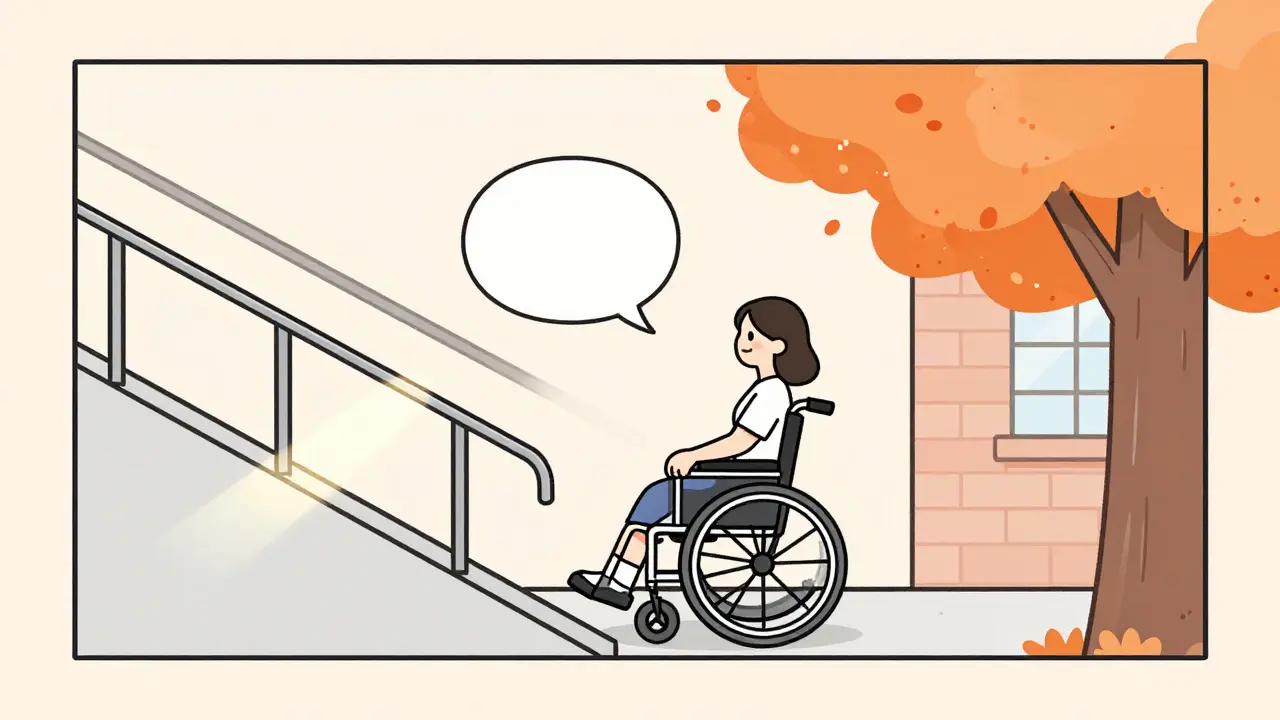
Imagine a screen reader reading out a description of a photo on a website - not just "image," but something like: "A young woman in a wheelchair smiles as she pushes herself up a gently sloped ramp, sunlight glinting off the metal handrails. Behind her, a tree with bright orange leaves stands beside a brick building with large windows." That’s not a human writing it. That’s AI. And it’s changing how people who are blind or have low vision experience the web.
What Image-to-Text AI Actually Does
Image-to-text generative AI doesn’t just read words in pictures - that’s OCR, and it’s been around for decades. Instead, it understands what’s happening in an image. It looks at colors, shapes, actions, context, and even mood. Then it turns that into natural language. This is possible because of multimodal models like CLIP and BLIP, which were trained on hundreds of millions of image-text pairs scraped from the internet. These models don’t just match words to pixels; they learn how language and visuals relate to each other.For example, CLIP, developed by OpenAI in 2021, uses two neural networks: one for images, one for text. Both are trained together in a shared space where similar meanings are close together. So when you show it a picture of a dog running on a beach, it finds the text embedding that’s closest to that image - maybe "golden retriever chasing waves at sunset." It’s not memorizing captions. It’s inferring meaning.
Why This Matters for Accessibility
Alt text isn’t optional. It’s required by accessibility laws like WCAG and the ADA. But writing good alt text for thousands of images? That’s a nightmare for content teams. Manual tagging is slow, expensive, and often inconsistent. That’s where AI steps in.Companies like Shopify and Zalando started using AI-generated alt text for product images. One retailer reported a 23% increase in search relevance because customers could now find items by describing what they saw - "red dress with ruffles," not just "dress 4567." But the real win is for people who rely on screen readers. Imagine being able to understand a photo of your friend’s wedding, a news article’s headline image, or a medical diagram without needing someone to describe it to you.
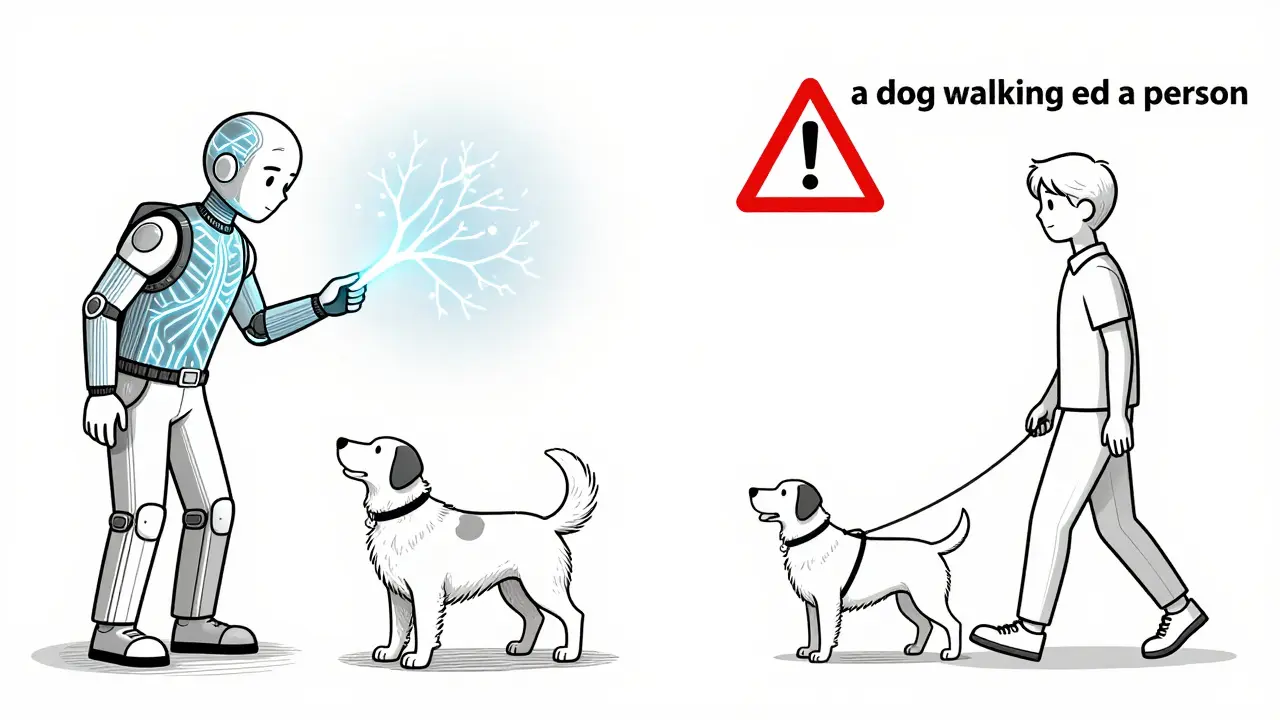
Still, the technology isn’t perfect. In 2023, a nonprofit tested AI-generated alt text on 1,200 images. For simple objects - a cat, a coffee cup, a tree - it worked well 80% of the time. But for anything involving people, especially people with disabilities, it failed. One image of a man using a prosthetic leg was described as "a person with a metal stick." Another showed a guide dog leading its owner - the AI said "a dog walking beside a person." No mention of the leash, the harness, or the fact that this was a service animal. That’s not just inaccurate. It’s dangerous.
How It Works Under the Hood
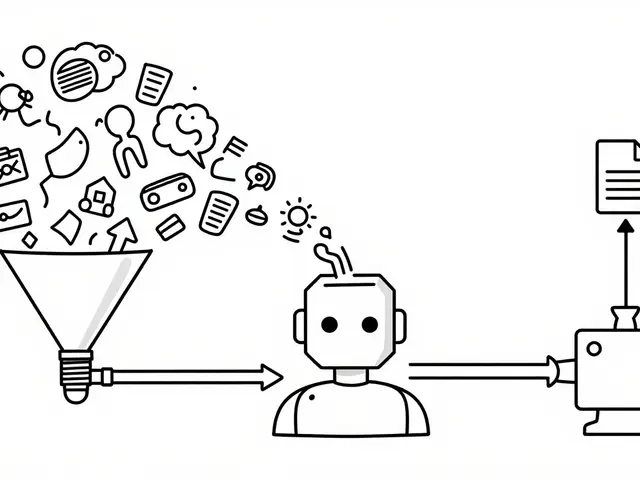
Modern systems like BLIP-2 and BLIP-3 follow a three-step process:- Image encoding: The image is broken down into visual embeddings - numerical representations of shapes, textures, and spatial relationships.
- Text generation: The model uses those embeddings to predict the most likely text description by comparing them to learned patterns from training data.
- Refinement: Natural language processing cleans up the output - fixing grammar, removing repetition, and ensuring clarity.
BLIP-3, released in January 2024, was trained specifically for accessibility. It was shown 50,000 images labeled with human-written alt text focused on safety, function, and context - not just aesthetics. The result? A 92.4% accuracy rate on a new benchmark called A11yCaption. That’s a big jump from earlier models, which scored around 75%.
But even BLIP-3 struggles with abstract scenes. A photo of a protest sign reading "Justice for All" might be described as "a piece of paper with writing." It misses the emotion, the intent, the social meaning. That’s not a bug - it’s a limitation of training data. If the model never saw enough examples of protest signs paired with accurate context, it won’t know how to describe them.
Where It Fails - And Why
The biggest problems aren’t technical. They’re ethical.Studies show CLIP models are 28.7% less accurate on images of people from non-Western cultures. That means someone in Nigeria or Indonesia is more likely to get a wrong or missing description than someone in the U.S. or Europe. Why? Because the training data was mostly Western photos from Instagram and Flickr.
Another issue: people with visible disabilities. Stanford researchers found AI-generated alt text had 31.2% higher error rates on images including people with mobility aids, hearing devices, or other assistive tools. One image of a child using a communication device was labeled as "a boy holding a plastic box." No mention of speech-generating technology. No context. Just a box.
And then there’s adversarial attacks. MIT researchers showed that adding nearly invisible noise to an image - something a human wouldn’t notice - could make the AI describe a stop sign as "a red circle with white writing." That’s not a mistake. That’s a vulnerability. If a website uses AI to auto-generate alt text for safety-critical images - like exit signs or medical diagrams - a single pixel change could mislead someone.
Real-World Use Cases and Trade-Offs
Some industries are using this tech wisely. E-commerce platforms use it for product images. Social media apps auto-generate captions for user-uploaded photos. Digital publishers use it to tag stock photos. But they all have one thing in common: human review.Amazon’s Titan Multimodal Embeddings, launched in late 2023, is used internally to tag millions of product images. But the company doesn’t rely on it for customer-facing alt text. Instead, it uses AI to suggest tags, then humans verify them. Same with Microsoft’s Seeing AI app. The new version uses multimodal AI to describe scenes, but it still asks users to confirm or correct the output before reading it aloud.
For most organizations, the smart approach is hybrid:
- Use AI to generate a first draft of alt text for bulk images.
- Flag images with people, actions, or complex scenes for human review.
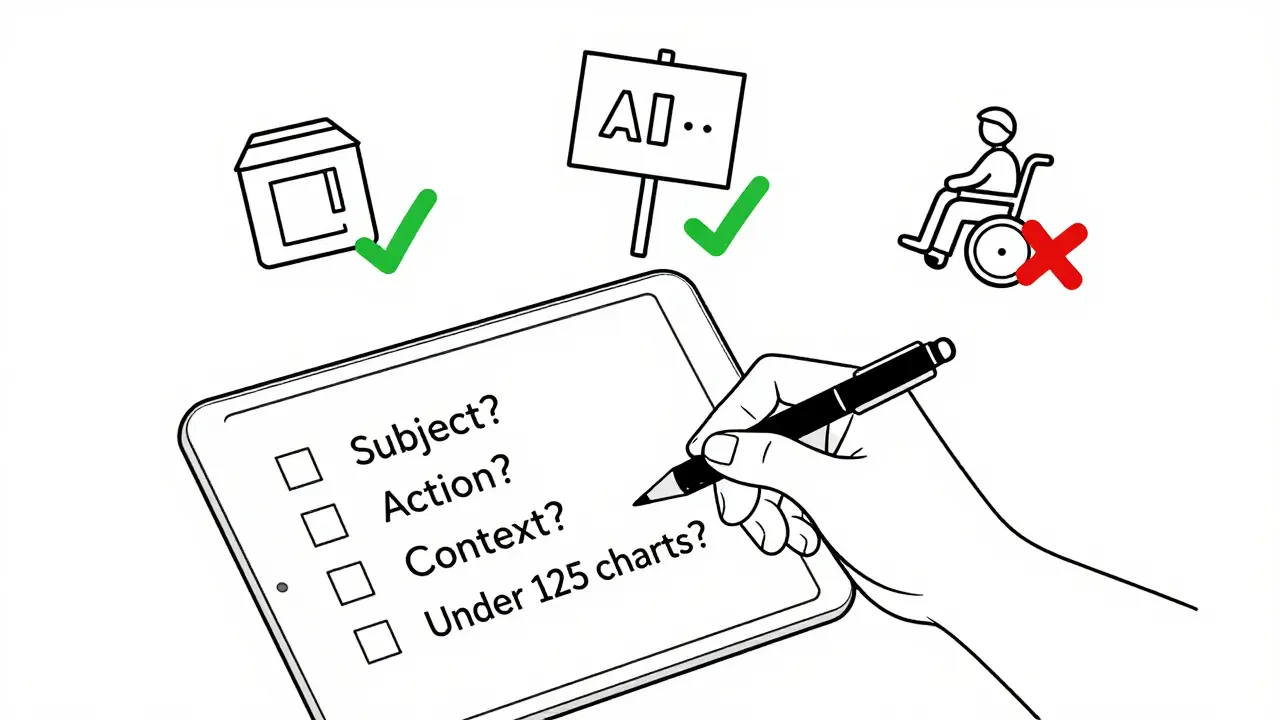
- Use a checklist: Does it mention the subject? The action? The context? Is it under 125 characters?
One web developer in Seattle told me she uses BLIP-3 with a simple rule: if the image has a person, it goes to a human. If it’s a product shot or landscape, AI is fine. She cut her tagging time by 70% and reduced accessibility complaints by 89%.
Cost and Implementation
Running this tech isn’t cheap. Deploying a model like BLIP-3 on AWS requires a p3.2xlarge GPU instance - about $3.06 per hour. You’ll need at least 16GB of VRAM. For small businesses, that’s out of reach. But you don’t need to host it yourself.Services like Hugging Face offer pre-trained models you can plug into your CMS with a few lines of code. Shopify’s built-in tool does it for you. You pay per image processed, not per server hour. That’s more practical for most sites.
Training your own model? That’s a full-time job. You need Python, PyTorch, and access to labeled datasets. Most companies don’t have the team. But you don’t need to. Use the tools that already exist.
What’s Coming Next
The W3C is working on new guidelines for AI-generated alt text. By mid-2026, they plan to require 95% accuracy on safety-critical elements - like exit signs, medical symbols, or warning labels - before an image can be published without human review.Microsoft, Salesforce, and Google are all racing to improve accuracy on diverse populations. BLIP-3’s training data now includes 40% more images from non-Western countries. Seeing AI’s new model can recognize 12 types of mobility aids and describe their function, not just their shape.
By 2027, experts predict AI will handle non-critical images - like decorative banners or abstract art - without human input. But for anything involving people, safety, or meaning? Humans will still be in the loop.
What You Should Do Today
If you manage a website:- Don’t turn on auto-alt-text without testing it. Run a sample of 50 images through your system. Check for errors.
- Never use AI-generated alt text for images of people without review. Especially if they have disabilities.
- Use tools like Hugging Face’s BLIP-3 or Shopify’s built-in generator - not raw CLIP. They’re better documented and more reliable.
- Add a simple flag in your CMS: "AI-generated - needs review." Make it mandatory for images with people.
- Train your team on WCAG 2.1 alt text standards. Good alt text isn’t just descriptive - it’s functional.
AI won’t replace human judgment. But it can give us the time to do it better. The goal isn’t to automate accessibility. It’s to scale it.
Can AI-generated alt text replace human-written alt text?
Not yet. AI can help generate drafts and handle simple images, but it frequently misses context, emotion, and critical details - especially when people are involved. For safety-critical or socially meaningful images, human review is still required by accessibility standards and best practices.
Is AI alt text accurate enough for legal compliance?
Currently, no. While AI can produce decent descriptions for objects and scenes, it fails too often on images involving people, actions, or cultural context. Regulatory bodies like the W3C and EU are moving toward requiring 95%+ accuracy on safety elements before allowing unreviewed AI alt text. Until then, human oversight is legally necessary.
Which AI model is best for accessibility alt text?
BLIP-3, released in January 2024, is currently the most accurate for accessibility use cases. It was trained specifically on 50,000 images with accessibility-focused descriptions and scores 92.4% on the A11yCaption benchmark. Other models like CLIP and earlier BLIP versions are less reliable for this purpose.
Why does AI misdescribe images of people with disabilities?
Because the training data used to build these models is overwhelmingly Western and lacks diverse representations of people with disabilities. Studies show AI models have 31.2% higher error rates on these images. They often describe mobility aids as "objects" instead of functional tools, missing their purpose entirely.
How much does it cost to implement AI alt text generation?
If you use a hosted service like Hugging Face or Shopify’s built-in tool, costs are based on usage - often under $0.01 per image. Hosting your own model on AWS costs about $3.06/hour and requires technical expertise. Most small to medium websites should use existing platforms rather than build from scratch.
 Artificial Intelligence

Amanda Ablan
February 4, 2026 AT 01:05Just saw a demo of BLIP-3 tagging product images for a small Etsy shop. The AI got the color and style right but called a cane a 'stick'-almost made me cry. Human review isn't optional, it's sacred.
Yashwanth Gouravajjula
February 4, 2026 AT 16:13In India, many disability groups still rely on volunteers to describe photos. AI could help-but only if trained on our images too. Not just Instagram US.
Kevin Hagerty
February 6, 2026 AT 14:01Wow so we need humans to babysit AI now? How about we just stop making websites with pictures? Problem solved.
Janiss McCamish
February 7, 2026 AT 17:52BLIP-3 is the only model worth using right now. Everything else is just guessing. And yes, if there's a person-especially with a cane, hearing aid, or service dog-stop and review. No excuses.
Richard H
February 8, 2026 AT 08:29Why are we letting computers describe our culture? This is just more woke tech nonsense. Real Americans don’t need AI to tell them what they’re seeing.
Meredith Howard
February 8, 2026 AT 11:50While the technical performance of BLIP-3 is impressive, the ethical implications of training data bias cannot be overstated. The model's 31.2% higher error rate on images involving assistive devices reflects systemic underrepresentation in the datasets used during development. Without deliberate inclusion of diverse, context-rich, disability-centered imagery from global sources, even the most advanced algorithms will perpetuate exclusion. This is not merely a technical challenge-it is a moral one.
Dylan Rodriquez
February 9, 2026 AT 15:14AI doesn’t replace empathy. It just gives us more time to practice it. I used to spend hours writing alt text for my nonprofit’s website. Now I let BLIP-3 draft it, then I ask myself: Does this description honor the person in the photo? Does it tell their story-or just their silhouette? If the answer’s no, I rewrite it. That’s not inefficiency. That’s integrity. The goal isn’t to automate accessibility. It’s to make sure no one gets left behind because a machine didn’t know how to see them.