
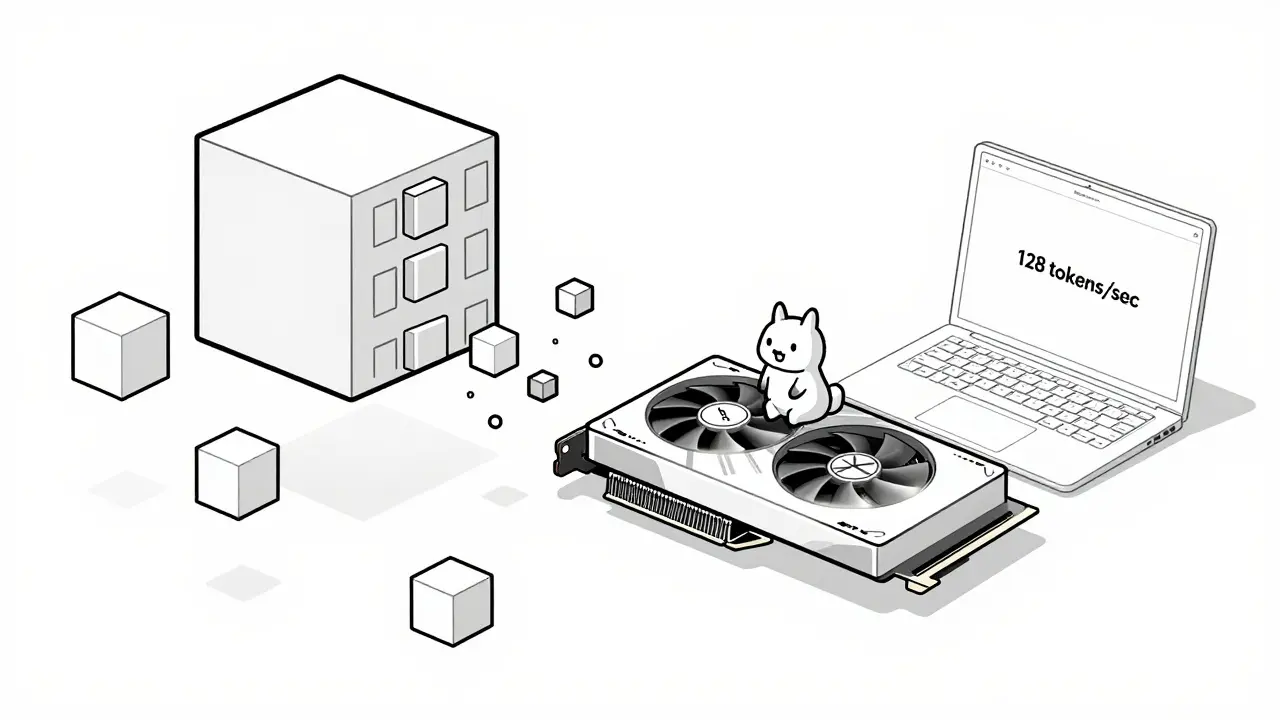
Large language models like Llama-70B or GPT-4 used to need five expensive NVIDIA A100 GPUs just to run. Today, you can run a version of Llama-3-8B on a single RTX 4090 - no data center required. How? Not by magic. By hardware-friendly LLM compression.
Why Compression Isn’t Optional Anymore
You don’t need a supercomputer to run an LLM anymore. But if you try to load a 70-billion-parameter model in full 16-bit precision, even the most powerful consumer GPU will crash. The model won’t fit in memory. The inference will be slower than typing on a typewriter. And the power bill? Forget it. That’s why compression isn’t a nice-to-have. It’s the only way to make LLMs usable outside of cloud giants. Companies like Roblox cut their inference costs by 63% just by compressing models. Schools, startups, and even hobbyists can now run powerful models on laptops and edge devices. But not all compression is equal. Some methods break accuracy. Others slow things down. The trick is to compress in a way that matches what your hardware can actually handle.How Compression Actually Works on Hardware
Think of a model’s weights like a giant spreadsheet of numbers. Each number is stored as a 16-bit floating-point value - that’s 2 bytes per number. Multiply that by 70 billion, and you’re talking about 140 GB of memory just for weights. That’s more than most laptops have in total. Compression shrinks those numbers. Not by deleting them - by representing them more efficiently. Here’s how the main techniques work, and what they do to your hardware:- Quantization: Instead of storing numbers as 16-bit floats, you store them as 8-bit or even 4-bit integers. That’s a 2x or 4x memory reduction. GPTQ and AWQ are popular methods that do this without losing much accuracy. A 4-bit model uses just 3.5 GB of VRAM for Llama-3-8B - down from 16 GB in FP16.
- Pruning: This removes weights that barely affect output. SparseGPT cuts half the weights, but only if your GPU supports sparse tensor operations. That means Ampere (RTX 30-series) or newer. Older cards like the RTX 2080 or AMD RX 6000 series won’t benefit - they might even get slower.
- Entropy Coding: Huff-LLM compresses the already-quantized weights even further using Huffman encoding, like ZIP for numbers. It doesn’t reduce memory usage during computation, but it saves space in storage and loading. That means faster startup times and less disk usage.
What Hardware Actually Supports This
Not all GPUs are created equal. Compression doesn’t just shrink the model - it changes how it runs. And your GPU has to be ready for that.- NVIDIA Ampere (RTX 30-series) and newer: These support 2:4 structured sparsity. That means every group of 4 weights must have exactly 2 zeros. If you use SparseGPT on an RTX 3090, you’ll see 2x faster inference. On an RTX 4090? Even better. Tensor cores are optimized for this.
- NVIDIA Hopper (H100) and Blackwell: These have dedicated hardware for 4-bit inference. Blackwell, released in May 2025, runs compressed models 1.8x faster than Hopper. That’s why cloud providers are rushing to upgrade.
- AMD and Intel GPUs: Here’s the problem. Their software stacks (ROCm, oneAPI) don’t yet optimize for sparse or low-bit models. MLPerf benchmarks show 30-40% lower efficiency on AMD cards compared to NVIDIA. You can compress, but you won’t get the speed boost.
- CPUs: Yes, you can run compressed LLMs on a high-end Intel Core i9 or AMD Ryzen 9. Techniques like Enhanced Position Layout (EPL) help retain context during long conversations. But CPU inference is still 3-5x slower than a good GPU. It’s useful for offline use, but not for real-time chat.

Real Results: What You Can Actually Run Today
Let’s get practical. Here’s what real developers are running on consumer gear as of early 2026:- Llama-3-8B on RTX 4090: GPTQ-4bit compressed. Uses 22GB VRAM. Throughput: 128 tokens/second. Accuracy loss: 3.2% on MMLU. This is the baseline for most hobbyists.
- Qwen-7B on RTX 4060 Ti (16GB): 4.7-bit average precision via Red Hat’s optimized repo. Runs at 75 tokens/second. No fine-tuning needed. Perfect for local RAG apps.
- Medical LLM on NVIDIA Jetson AGX Orin: SqueezeLLM at 3.5-bit. Speedup: 2.3x. But required 12 hours of fine-tuning to recover accuracy on clinical questions. Not plug-and-play.
- Local LLM on Ryzen 9 7950X: 4-bit quantized Mistral-7B. 18 tokens/second. No GPU needed. Useful for privacy-focused apps or offline use.
The Pitfalls: When Compression Goes Wrong
It’s not all smooth sailing. Many people try compression and end up with a model that’s slow, inaccurate, or crashes.- Wrong CUDA version: 37% of failures on GitHub come from using CUDA 11.x instead of 12.1+. You need the latest drivers and toolkit.
- Sparsity on old GPUs: Applying SparseGPT to an RTX 3060? You’ll get 20-30% slower inference. The kernel dispatch is inefficient. Stick to quantization only.
- Accuracy drop on long context: At 4-bit, models lose 4.7% accuracy on conversations longer than 8K tokens. Use EPL to fix this - it reorganizes how tokens are stored in memory.
- Hidden biases: Professor Anna Rohrbach’s research found compressed models can develop subtle biases that standard benchmarks miss. A model might answer medical questions correctly 95% of the time - but fail on questions about minority groups. Always test on domain-specific data.

How to Start - Even If You’re Not a Pro
You don’t need to be a CUDA wizard to compress a model. Here’s the simplest path:- Start with a model from Hugging Face - Llama-3-8B or Mistral-7B.
- Use AutoGPTQ (free, open-source). Install it with pip:
pip install auto-gptq. - Run the 4-bit quantization script. It takes 10-20 minutes on a GPU.
- Load the compressed model with vLLM for fast inference.
- Test it on 10-20 real prompts. Compare responses to the original model.
The Future: What’s Coming in 2026
This field is moving fast. Here’s what’s next:- MLCommons LLM Compression Standard (v1.0): Expected in Q1 2026. This will make compressed models interchangeable across hardware. No more “this model only works on NVIDIA.”
- Meta’s SlimTorch: Coming in November 2025. Compression built directly into PyTorch. One line of code to quantize.
- Google’s CompressFormer: A model that adjusts compression on the fly - more compression for simple queries, less for complex ones. Launching Q2 2026.
- AMD MI350: Shipping late 2025. Finally catching up on sparse support. Might close the gap with NVIDIA.
Final Thought: It’s Not About Bigger Models - It’s About Smarter Deployment
We used to think AI progress meant bigger models. More parameters. More compute. But the real breakthrough isn’t scaling up. It’s scaling down - intelligently. Hardware-friendly compression turns expensive, power-hungry AI into something accessible. It lets you run a powerful model on your laptop. It lets startups compete with cloud giants. It lets privacy-conscious users keep data local. The best AI isn’t the one that fits in a data center. It’s the one that fits in your life.Can I run a 70B LLM on my RTX 4090?
Not in full precision - it needs 140GB of VRAM. But with 4-bit quantization and sparsity, you can run a compressed 70B model on a single RTX 4090. Models like Llama-70B have been successfully compressed to under 30GB with 95%+ accuracy retention using techniques like Compression Trinity. You’ll need vLLM or TensorRT-LLM for fast inference.
Is 4-bit quantization safe for medical or legal use?
It can be - but only after rigorous testing. Dr. David Patterson warns that aggressive compression below 4-bit risks catastrophic failures in safety-critical apps. For medical or legal use, stick to 4-bit with post-compression fine-tuning on domain-specific data. Always validate against real-world inputs, not just benchmarks. Accuracy drops of 1-3% are acceptable if they’re consistent and predictable.
Does compression make models more vulnerable to hacking?
Yes. A February 2025 USENIX Security paper showed quantized models are 23% more vulnerable to adversarial attacks. Small changes to input text can cause larger errors in compressed models. Always add input validation, output filtering, and monitoring in production. Don’t assume compression only affects speed and size.
What’s the best compression tool for beginners?
Start with AutoGPTQ and Hugging Face’s pre-compressed models. No coding needed. Just download a 4-bit version of Llama-3-8B or Mistral-7B, load it with vLLM, and run it. Red Hat’s repository has tested, optimized models ready to use. Save custom compression for later - once you understand how accuracy changes after quantization.
Do I need a new GPU to use compression?
No - but you’ll get much better performance with a recent NVIDIA GPU. RTX 30-series and newer support structured sparsity and fast 4-bit kernels. An RTX 4090 will run a compressed model 2-3x faster than an RTX 3060. AMD and Intel GPUs can run quantized models, but without the speed boost. You’ll still save memory, but not time.
Can I compress models on my CPU?
Technically yes, but it’s impractical. Quantization tools like GPTQ require GPU acceleration to run in reasonable time. Compressing a 7B model on CPU can take 8-12 hours. Do it on a cloud GPU (even a cheap one) and then move the compressed model to your CPU for inference. That’s the standard workflow.
How much faster is a compressed model really?
Typically 2-4x faster in tokens per second. A 16-bit Llama-3-8B might generate 30 tokens/sec. The same model at 4-bit can hit 90-120 tokens/sec on an RTX 4090. Latency drops from 300ms to under 80ms per response. Memory usage drops from 48GB to 22GB. That’s the difference between a sluggish chatbot and a responsive one.
What’s the difference between GPTQ and AWQ?
GPTQ is faster and more aggressive - it works best on larger models (13B+). AWQ preserves accuracy better on smaller models (under 13B) but adds 15-20% computational overhead. If you’re using Llama-3-8B, AWQ might give you 0.5% higher accuracy. But GPTQ is simpler and faster to run. For most users, GPTQ is the better starting point.
 Artificial Intelligence



Yashwanth Gouravajjula
January 23, 2026 AT 04:41India is catching up fast in AI deployment. We're using compressed LLMs on cheap hardware for rural education apps. No A100s needed. Just a Raspberry Pi and a 4-bit Mistral model. It works.
Janiss McCamish
January 25, 2026 AT 00:324-bit quantization is the real MVP here. I ran Llama-3-8B on my old RTX 3060 and it's snappier than my phone's chatbot. Just use AutoGPTQ and don't overthink it.
Tia Muzdalifah
January 26, 2026 AT 05:07so i tried compressing a model on my laptop and it just crashed lol. maybe i need a better gpu? or maybe im just bad at this
Robert Byrne
January 28, 2026 AT 02:33You didn't use CUDA 12.1+ did you? 37% of failures are from old drivers. Update your toolkit. Also stop using AMD if you want speed. This isn't a political statement, it's math.
Kevin Hagerty
January 29, 2026 AT 23:21Wow another tech bro pretending compression is magic. You still need a 4090 to run anything decent. Congrats you made your laptop 2x faster. Big whoop.
Zoe Hill
January 31, 2026 AT 18:42Just want to say thanks for the Red Hat repo link - I downloaded the pre-compressed Qwen-7B and it worked on the first try. No coding. Just clicked and went. You saved me hours.
Meredith Howard
February 1, 2026 AT 21:53While the technical details are impressive, I'm concerned about the ethical implications of deploying compressed models in sensitive domains. The subtle bias shifts mentioned in the article aren't just statistical anomalies - they can harm real people. We need transparency in compression pipelines, not just speed benchmarks. Accuracy retention percentages don't tell the full story when lives are involved.
For example, a medical LLM that performs well on general diagnostics but fails on minority patient queries isn't just 'slightly less accurate' - it's dangerously misleading. We must demand domain-specific validation before deployment, not assume the model 'works' because it passed MMLU.
Also, the push for consumer hardware access shouldn't come at the cost of ethical oversight. Startups may be excited about running models locally, but if they're not testing for fairness, they're building fragile, biased tools that could reinforce systemic inequalities.
Let's celebrate efficiency, but don't let it blind us to responsibility. The future of AI isn't just about what we can run - it's about what we should run.
Amber Swartz
February 2, 2026 AT 12:12OK but who even cares if your model runs on a 4090 if it can't tell the difference between a heart attack and indigestion? I'm tired of people treating AI like a toy. You compress it, it gets dumber, and then you blame the user for not knowing enough CUDA. Wake up.
This isn't a tech demo. This is healthcare. This is law. This is education. And you're playing with fire.
Albert Navat
February 2, 2026 AT 13:30Let’s be real - if you’re not using TensorRT-LLM with 2:4 sparsity on an Ada Lovelace GPU, you’re just wasting your time. GPTQ is for hobbyists. Real inference pipelines use fused kernels, dynamic quantization, and kernel autotuning. Stop using vLLM like it’s a CLI tool - it’s a production system.
Also, CPU inference? That’s a joke. Even a Ryzen 9 can’t keep up with a single 4090. You’re not being ‘privacy-conscious,’ you’re being inefficient. Use the cloud for compression, edge for inference. Done.
Richard H
February 3, 2026 AT 19:54AMD users are just jealous. NVIDIA built the hardware, NVIDIA built the software, NVIDIA built the ecosystem. Stop pretending your RX 7900 can compete. It can't. And no amount of wishful thinking changes that. Buy the right tool for the job.