

When AI starts designing user interfaces, things get messy fast. You ask it to build a button, and it gives you one with the wrong padding. You request a card component, and suddenly the color doesn’t match your brand. The AI isn’t broken-it’s just not following your rules. That’s where design systems come in. They’re not just a library of buttons and colors anymore. In 2026, they’re the rulebook that keeps AI-generated UIs from going off the rails.
Why AI Needs a Design System
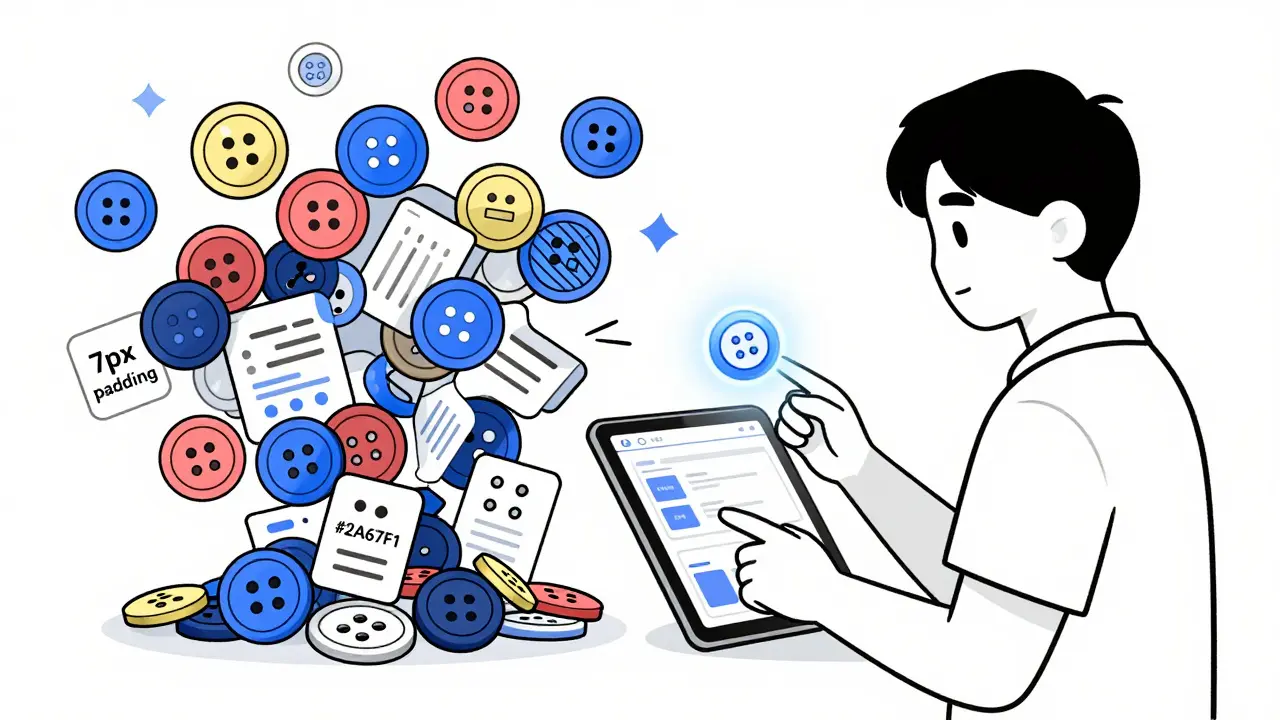
AI doesn’t know your brand. It doesn’t remember that your primary color is #2563EB, not #2A67F1. It doesn’t care that your spacing scale goes 4, 8, 16, 24, 32-not 5, 10, 20. Left alone, AI will invent its own logic. And that’s the problem. Teams using AI tools without constraints report inconsistent spacing in 63% of cases and wrong color tokens in 57% of cases, according to G2 reviews from late 2023. One senior designer on Reddit spent six hours fixing a single AI-generated button just to meet WCAG 2.1 accessibility standards. That’s not efficiency-that’s backtracking.Design systems fix this by giving AI clear boundaries. Think of them as a set of guardrails. Instead of letting AI guess what a "primary button" should look like, you tell it: "Use this exact color, this font size, this hover effect, this padding, and this accessibility contrast ratio." Then, when the AI generates 50 variations of that button, they all look the same. Consistency isn’t about control-it’s about scale.
How Design Tokens Keep AI in Line
At the heart of every consistent AI-generated UI are design tokens. These aren’t just hex codes or font names. They’re named variables that represent design decisions:$color-primary, $spacing-md, $border-radius-lg. When you train an AI tool on these tokens, you’re not feeding it examples-you’re feeding it your brand’s DNA.
Platforms like Components AI and UXPin Merge let you import your existing CSS or Figma file and automatically extract these tokens. That means if your website uses a specific shade of blue, the AI knows it’s not just "blue," it’s your brand’s primary color. It also learns your spacing scale. If your design system uses 8px increments, the AI won’t suddenly start using 7px or 12px. It sticks to the rules.
Here’s the kicker: tokens work across tools. A token defined in Figma can be exported as CSS, JSON, or JavaScript and used in React, Vue, or even plain HTML. That’s how you keep the same button looking the same whether it’s designed in Figma, generated by AI, or coded by a developer. No more "but it looked different in the mockup" complaints.
AI Tools That Actually Work With Design Systems
Not all AI design tools are created equal. Some just spit out pretty images. Others integrate with real code. Here’s what’s working in 2026:- Components AI is open-source and focuses on visual design without code. It lets you define color, typography, and spacing scales, then generates UIs that follow them. It’s great for teams that want full control and transparency.
- UXPin Merge goes further. It doesn’t just generate images-it generates real React components. Designers can tweak a button in Figma, and the AI outputs working code with props, states, and accessibility attributes. That closes the design-dev gap in one step.
- Motiff AI supports built-in design systems like Material, Ant, and Shadcn. You can prompt it with "Create a dashboard using Shadcn" and it knows exactly what spacing, typography, and component variants to use. It also auto-arranges layouts, so you don’t have to manually position every element.
- UX Pilot ties directly into Figma and lets you fine-tune AI output with sliders and toggles. Want to make the button 10% taller? Just drag. The AI adjusts everything else to match your system.
Each tool has strengths, but they all share one thing: they rely on design tokens. Without them, they’re just fancy image generators.
The Hidden Cost: Human Oversight
AI can generate a UI 40-90% faster than manual design, according to UXPin. But here’s the catch: it rarely gets it 100% right. Design System Diaries found that AI-generated components are only 50-80% complete before needing human refinement. Why? Accessibility. Responsive behavior. Edge cases.AI doesn’t know that a button with a 3:1 contrast ratio fails WCAG 2.1 AA standards. It doesn’t know that a 200px-wide card breaks on mobile. It doesn’t know that your company’s accessibility policy requires a 48px tap target. These aren’t design decisions-they’re legal and ethical ones.
That’s why the best teams treat AI as a junior developer. It drafts the component. A designer reviews it. A developer checks accessibility. QA tests responsiveness. The AI isn’t replacing humans-it’s replacing repetitive tasks. One team at a fintech startup reported cutting their prototype time from 3 weeks to 2 days, but they still spent 10 hours per week refining AI output. That’s not a waste. That’s smart workflow.
How to Set Up Your AI Design System
If you’re thinking about using AI to generate UIs, here’s how to do it without chaos:- Document your design tokens. List every color, font, spacing value, shadow, and animation. Use a tool like Figma Variables or Storybook to store them.
- Define component variants. What does a button look like in its default, hover, disabled, and active states? Write it down. Don’t assume the AI will guess.
- Train the AI on real examples. Feed it 15-20 well-made components from your current system. Brad Frost’s research shows this is how LLMs learn your conventions. It’s not magic-it’s pattern recognition.
- Start small. Don’t try to generate your entire app. Start with buttons, cards, or form fields. Test one component. Refine it. Then scale.
- Build a review process. Every AI-generated component gets reviewed by a designer and a developer before it’s approved. Make that a rule.
Teams that follow this process report 70% fewer design revisions and 40% faster handoffs to engineering. The key isn’t the AI-it’s the process around it.

What’s Next: Lighter, Smarter Systems
The future of design systems isn’t bigger libraries. It’s lighter ones. Instead of maintaining hundreds of rigid components, teams are moving toward generative component libraries. These are collections of rules, not fixed elements. The AI generates the component on the fly, based on context, user role, or device type-while still following your tokens.For example: a button on a mobile app might be larger and have a different icon than the same button on a desktop dashboard. The AI knows this because your system defines "mobile button" as: 48px height, 16px padding, icon on the right. No need to create two separate components. Just one rule.
By 2026, Forrester predicts 70% of design systems will include AI augmentation. Companies that don’t adopt this will fall behind-not because AI is perfect, but because it’s faster. And consistency? That’s still human work. But now, humans aren’t drawing buttons. They’re writing rules.
Final Thought: AI Doesn’t Replace Designers. It Replaces Repetition.
The biggest mistake teams make is thinking AI will do the design. It won’t. It will do the grunt work. The real value isn’t in speed-it’s in freedom. When AI handles spacing, color, and layout, designers can focus on what matters: user flow, emotional impact, accessibility, and innovation.So if you’re using AI to generate UIs, don’t just turn it loose. Build the rules. Define the tokens. Train it well. And never stop reviewing. Because the most consistent UI isn’t the one made by AI. It’s the one made by humans who knew exactly how to guide it.
Can AI generate production-ready UI components without human input?
No. While AI can generate 50-80% of a component’s structure, it rarely meets accessibility standards, responsive behavior, or brand-specific edge cases without human review. Teams using AI tools report spending 30 minutes to 6 hours per component on fixes, especially for WCAG compliance. AI is a powerful assistant, not a replacement for design judgment.
What’s the difference between a design token and a CSS variable?
A CSS variable is a technical implementation-like --primary-color: #2563EB. A design token is the meaning behind it: "This is our brand’s primary color, used for buttons, links, and highlights." Tokens are abstract, reusable, and platform-agnostic. They can be exported to CSS, JSON, or even mobile SDKs. CSS variables are one way to implement tokens, but tokens themselves are the design decision.
Do I need a developer to set up an AI design system?
Not necessarily, but collaboration helps. Designers can define tokens in Figma or a design system tool. Developers can help export those tokens into codebases and ensure they work with React, Vue, or other frameworks. The best setups involve both teams from day one. Tools like UXPin Merge let designers work with real code components, reducing the need for heavy dev involvement.
Which AI design tool is best for startups?
Components AI is often the best starting point for startups. It’s open-source, free to use, and focuses on visual design without locking you into a platform. It lets you define your own tokens and export them as CSS or JSON. Other tools like Motiff AI or UXPin Merge offer more automation but may require paid plans or deeper integration. Start simple, then scale.
How do I train an AI tool on my existing design system?
Provide 15-20 high-quality examples of your components with clear naming and structure. Include screenshots, code snippets, and documentation. For example: "This button uses $color-primary, $spacing-md padding, and $border-radius-sm. It has hover, focus, and disabled states." The AI learns patterns from these examples. Tools like Components AI and UXPin allow you to upload Figma files or CSS to auto-extract these patterns.
Is it worth building an AI design system if my team is small?
Yes-if you’re scaling. Even small teams benefit from consistency. If you’re building 3-5 new screens a week, AI can cut that time in half. But don’t overcomplicate it. Start with one component (like a button or card), define its tokens, and let AI generate variations. Once you see the time saved, expand. The goal isn’t automation for automation’s sake. It’s reducing friction so you can focus on better design.
 Artificial Intelligence


Nathaniel Petrovick
March 13, 2026 AT 05:19Man, I’ve seen so many teams try to go full AI on design and it turns into a mess. One guy on my team let it generate a whole dashboard and the buttons had like 3 different hover states. We spent a week fixing it. Design tokens aren’t optional anymore-they’re the only thing keeping sanity in the workflow. Just feed it your Figma file, let it learn, and boom. No more ‘but it looked different in the mockup’ drama.
Jen Deschambeault
March 13, 2026 AT 12:21I’m not even mad anymore. I just hand the AI a list of tokens and walk away. It makes 20 versions of a card. I pick one. Fix the padding. Call it a day. It’s not magic, but it’s the closest thing we’ve got to not drowning in UI grunt work. Honestly? I’d rather spend my time thinking about user flow than hex codes.
Angelina Jefary
March 13, 2026 AT 21:42Wait. So you’re telling me we’re trusting an algorithm to pick our brand colors? What if it decides #2563EB is ‘too blue’ and swaps it for something neon? I’ve seen AI tools ‘optimize’ contrast ratios to 2.9:1 because ‘it looks better.’ That’s not design-that’s corporate manslaughter. We need audits. Like, daily. Someone’s gotta be watching this thing like a hawk.
Jennifer Kaiser
March 15, 2026 AT 16:59What’s funny is how we treat AI like a junior dev but then act shocked when it doesn’t know what WCAG is. It’s not dumb-it’s untrained. We keep feeding it pretty pictures but forget to teach it ethics. Accessibility isn’t a checkbox. It’s a responsibility. And if your design system doesn’t bake that in at the token level, you’re not building a system-you’re building a time bomb. We need to stop pretending AI can replace judgment. It can’t. But it can damn well do the boring stuff if we show it how.
Also, ‘design system’ isn’t a buzzword. It’s a contract. Between you, your team, and your users. Break that contract, and you break trust.
TIARA SUKMA UTAMA
March 17, 2026 AT 16:15Just use the tokens. No need to overthink. Button = color + padding + radius. Done. AI gets it. Humans get to chill.
Jasmine Oey
March 18, 2026 AT 23:23OMG I’m SO done with teams that think AI is gonna ‘just get it.’ Like, no. It doesn’t know your brand’s soul. It doesn’t care that your logo’s been that exact shade of teal since 2012. It’s gonna turn your beautiful, intentional design into a TikTok filter. I had to yell at a client last week because their AI-generated ‘hero section’ had a 12px font. TWELVE. PIZZAZZ. I almost cried. We need rules. HARD rules. And someone to slap the AI when it gets sassy.
Marissa Martin
March 20, 2026 AT 04:12It’s not about whether AI can generate components. It’s about whether we’re willing to be the adults in the room. If we let it run wild, we’re not just risking consistency-we’re risking our own craft. The real cost isn’t the 6 hours spent fixing buttons. It’s the quiet erosion of design thinking. We used to argue about spacing. Now we just click ‘generate.’ That’s not progress. That’s surrender.