
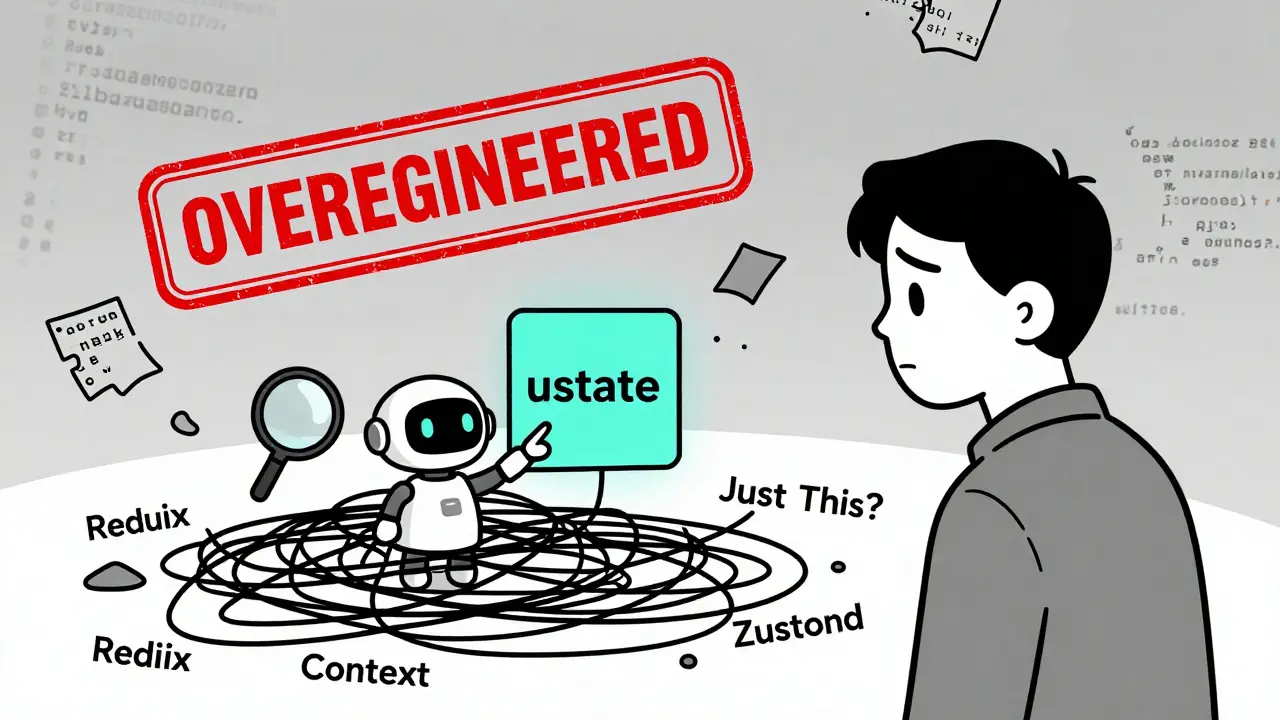
When AI writes your frontend code, it doesn’t always know what you really need. It sees patterns in millions of GitHub repos and copies what it’s seen before. That’s great until it suggests Redux for a login form. Or wraps your entire app in Context just because it can. Suddenly, your app is slow, bloated, and impossible to debug - all because you trusted the AI too much.
Why AI Gets State Management Wrong
AI tools don’t understand your app’s scale, user behavior, or performance goals. They only know what’s common in training data. And guess what? Most public codebases use Redux. Not because it’s the best, but because it’s everywhere. So when you ask an AI to "manage state" in your todo app, it gives you Redux with middleware, action creators, and a 200-line store file - even if you only have two pieces of state. The real problem? AI doesn’t know the difference between client state and server state. It treats them like the same thing. That’s why you end up with manual API calls updating local state, while your UI flickers between stale and fresh data. It’s not a bug - it’s a design flaw the AI didn’t catch because it’s never seen your project before.The Big Five Pitfalls
- Over-engineering with Redux - AI loves boilerplate. If you say "state," it thinks "Redux." But Redux is for apps with 50+ interconnected state slices, complex side effects, and teams that need time-travel debugging. For 90% of apps? Use something simpler.
- Unnecessary re-renders from Context - AI often generates a single Context for everything. Every time one value changes, the whole tree re-renders. You don’t need Context for theme toggles if you’re not passing it down more than three levels. And if you do use it, forget the useMemo wrappers? That’s a red flag.
- Ignoring server state - AI doesn’t know about React Query. It’ll make you fetch data, store it in Zustand, and manually update it on refresh. Meanwhile, React Query handles caching, background updates, and stale data automatically. You’re doing the work it was built to solve.
- Too much middleware - AI generates middleware that does logging, auth, validation, and error handling all in one file. That’s a nightmare to maintain. It’s like putting your car’s oil, brakes, and fuel system in one pipe. Break it up.
- No observability - If AI writes 70% of your code, how do you debug it? Without structured logging, tracing, or clear boundaries, you’re flying blind. You can’t fix what you can’t see.
What Works - And Why
The smartest teams aren’t fighting AI. They’re teaching it. Here’s the setup that actually works:- useState - Perfect for local state. A form input? A dropdown toggle? AI nails this. Don’t overthink it.
- Context - Only for data that crosses 2-3 components and changes rarely: theme, language, user auth. Split it into multiple contexts if needed. Always wrap with
useMemoto avoid re-renders. - Zustand - This is AI’s favorite for a reason. One file. No boilerplate. Easy to read. Easy to generate. It’s lightweight, fast, and predictable. Use it for client state that’s shared across components - like user preferences or shopping cart items.
- React Query - This isn’t a state manager. It’s a server state manager. It handles fetching, caching, background refresh, and stale data. Use it for API data: user profiles, product lists, notifications. Let it do its job.
For a small project? useState + Context + React Query. For a startup? Zustand + React Query. For enterprise? Redux + React Query - but only if you need time-travel debugging and complex middleware chains.

Build an AI-Friendly Architecture
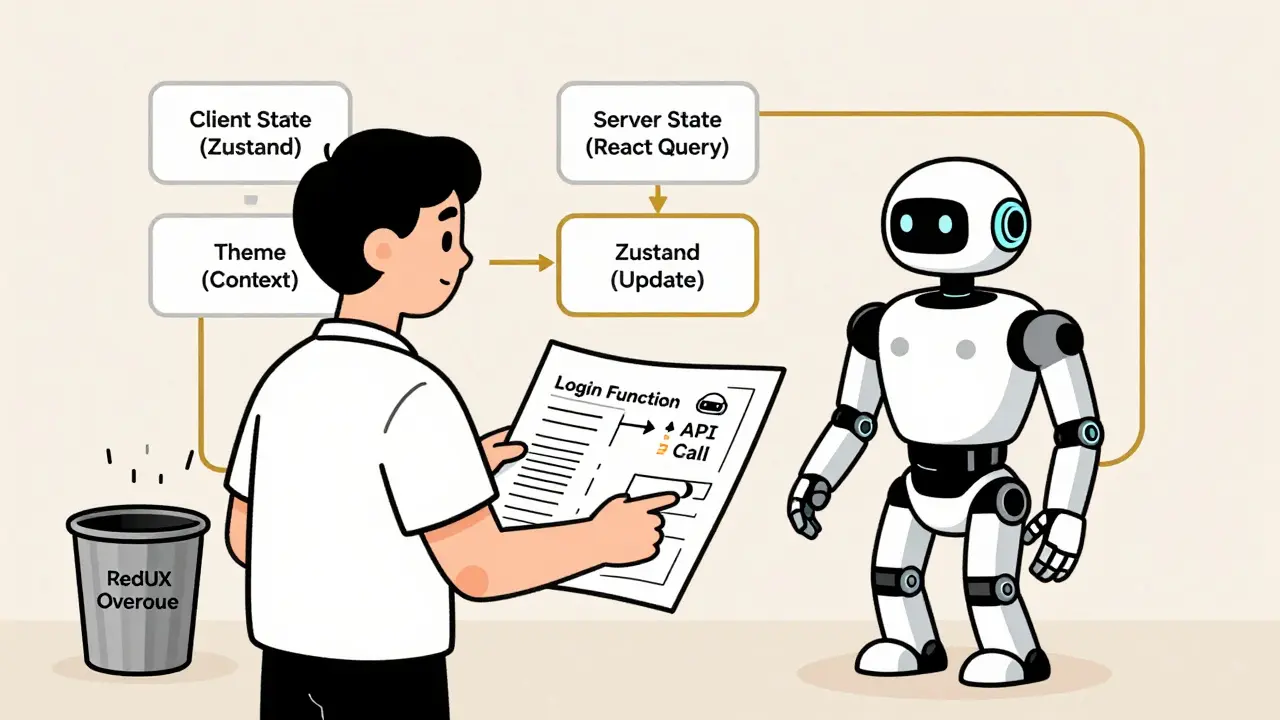
Stop asking AI to "write state management." Start telling it how your app works. Use the use-case pattern. Instead of saying "make a login form," say: "Create a function calledloginUser(email, password) that calls the API, handles errors, and sets the user in Zustand. Return success or failure." Then let AI generate the UI that calls it.
This works because:
- AI doesn’t have to guess how to structure state - you’ve defined the contract.
- Every use case has the same error handling, logging, and validation.
- You can test the function alone, without the UI.
- AI learns your patterns and starts generating consistent code.
Also, build custom templates. Save a working state setup as a snippet. Tell AI: "Follow this pattern." That’s how you stop it from inventing weird solutions.
Separate Client and Server State
This is the single biggest fix. Client state = what the user is doing right now: form values, modals open, UI loading states. Server state = data from APIs: user profile, product inventory, comments. AI mixes them. You end up with a Zustand store that holds both. Then you manually refresh it after every API call. It’s messy. Fix it:- Client state → Zustand or Context
- Server state → React Query
React Query automatically updates components when data changes. It invalidates caches. It shows loading states. It handles retries. You don’t have to write any of that. AI doesn’t know this - unless you tell it.
How to Review AI-Generated State Code
Don’t accept it. Don’t reject it. Review it. Follow this three-step process:- Generate - Let AI build the basic version.
- Review - Ask: Is this overkill? Are we re-rendering too much? Is server state being handled properly? Is there a simpler way?
- Optimize - Tell AI: "Refactor this to use React Query for data fetching. Remove the Redux store. Split Context into two pieces. Add useMemo to the provider."
Never say "rewrite everything." That’s how you lose control. Be specific. Point to lines. Say exactly what you want changed.
What’s Next?
AI is getting better. Tools from Meta and Vercel now predict state transitions before users click. They auto-fix performance bottlenecks. They explain why a component re-rendered in plain English. But none of that matters if you don’t set the rules. AI doesn’t know your app’s soul. Only you do. The future isn’t AI writing code. It’s AI helping you write better code - faster, cleaner, and with fewer bugs. But only if you’re the one guiding it.Should I use Redux if AI suggests it?
Only if your app has complex state logic, multiple teams, and you need time-travel debugging. For most apps - especially those under 50 components - Redux adds more overhead than value. AI often suggests it because it’s common in training data, not because it’s right for your project. Always ask: "What problem am I solving?" If the answer is "a login form," skip Redux.
Is Context API bad for state management?
No - but it’s easy to misuse. Context is great for infrequently changing data like themes or user auth across 2-3 component layers. It’s terrible for frequently updating state like form inputs or animations. The real issue? AI often creates one giant Context and forgets useMemo. That causes full component tree re-renders. If you use Context, split it, optimize it, and never let AI generate it without review.
Why is Zustand called AI’s favorite?
Because it’s simple. One file. No actions, reducers, or middleware boilerplate. The entire state logic is visible in one place. AI can read it, understand it, and regenerate it reliably. It doesn’t have to guess how to structure things. That’s why tools like GitHub Copilot generate Zustand stores with high accuracy - and low error rates.
Can AI handle server state management?
Not unless you tell it to. AI doesn’t know about React Query unless you mention it. Left to its own devices, it’ll use Zustand to cache API data - which causes stale data, race conditions, and manual refreshes. Always specify: "Use React Query for all API calls." Then it’ll generate proper caching, invalidation, and loading states automatically.
How do I stop AI from making my code bloated?
Set boundaries. Use templates. Define your architecture upfront. Tell AI: "Use Zustand for client state. Use React Query for server state. No Context unless it’s theme or auth. No Redux unless we have 30+ state slices." Then stick to it. The more consistent you are, the better AI performs. It learns from patterns - not from guesswork.
 Artificial Intelligence




Chris Heffron
March 13, 2026 AT 04:25AI suggesting Redux for a login form is like using a sledgehammer to crack a nut. 😅 I've seen this so many times. Just use useState. Seriously. No need to overcomplicate it. The simpler the better.
Also, Context for theme? Sure. Context for everything? No. 😴
Adrienne Temple
March 14, 2026 AT 04:15Yesss! This is such a real issue. I love how you broke it down. 🙌
My team used to let AI handle everything and we ended up with a 500-line Zustand store that had API data, form states, and modal flags all mixed together. Total mess. After we split server vs client state? Everything got 3x faster. React Query is a game-changer if you let it work.
Also, templates. Start using them. Save a good pattern and tell AI: 'Follow this.' It learns way better than guessing.
Sandy Dog
March 15, 2026 AT 08:46OH MY GOD. I CAN'T BELIEVE HOW MANY PEOPLE JUST LET AI RUN WILD. 🤯
I had a dev on my team who asked AI to 'manage state' and it gave them Redux with 12 middleware files, 3 action folders, and a saga that called another saga that called a thunk that... I had to physically shut down their laptop. I swear, I cried. I just sat there and whispered 'why... why did you do this?'
Then I rebuilt the whole thing with useState + React Query. Took 2 hours. The app is now snappier than a whip. And no one even noticed I did it. They just said 'wow, it feels so much better.'
AI doesn't know your soul. You do. Don't outsource your architecture. 🥺💔
Nick Rios
March 16, 2026 AT 11:12I think the real takeaway here is that AI is a tool, not a architect. It's great at patterns, but it doesn't understand context. That’s why review is so important.
I’ve used this exact approach - generate, review, optimize - and it’s saved me so many hours. Instead of rejecting AI output, I treat it like a rough draft. I’ll say: 'This is good, but can we simplify the Context? Move the API calls to React Query?'
It’s not about replacing humans. It’s about augmenting them. And honestly? The best code I’ve written lately came from AI + my own judgment. Not one or the other.
Amanda Harkins
March 17, 2026 AT 13:37It’s wild how we’ve outsourced our thinking to machines. We used to design systems. Now we just prompt them and hope for the best.
AI doesn’t have intuition. It has statistics. And statistics say Redux is popular. So it gives you Redux.
But what if your app doesn’t need it? What if you’re just building a small dashboard? You’re not a startup. You’re not Uber. You’re one person with a todo list.
Maybe we’re not just letting AI write code. Maybe we’re letting it write our habits. And that’s scarier than any bloated store.
Sibusiso Ernest Masilela
March 18, 2026 AT 04:22You’re all being too gentle. This isn’t about 'over-engineering' - it’s about incompetence disguised as automation.
Anyone who lets AI generate state management without a 5-point review checklist shouldn’t be allowed near a keyboard. Not even a laptop. A typewriter would be too generous.
Zustand? React Query? Please. Half of you don’t even know what memoization is. You just copy-paste boilerplate from Copilot and call it a day.
Real engineers don’t ask AI to 'fix state.' They define contracts. They write interfaces. They own the architecture. The rest? You’re just tech janitors with GitHub accounts.
Daniel Kennedy
March 19, 2026 AT 15:01I’ve been on both sides of this. I used to be the guy who let AI run wild. Then I got burned. Bad.
One time, AI gave me a Redux store with 8 reducers, 3 middleware layers, and a custom logger that was logging the entire state tree every 200ms. The app was unresponsive. I spent 3 days fixing it.
Now? I use templates. I have a 'starter' snippet that says: 'Client state → Zustand. Server state → React Query. Context only for theme/auth. No Redux unless >30 state slices.'
AI still writes the code - but I’m the one steering. And honestly? It’s the best of both worlds. Faster dev. Cleaner code. Less stress.
Taylor Hayes
March 19, 2026 AT 21:30Just wanted to say thank you for writing this. I’ve been teaching junior devs this exact approach for months and no one believed me until now.
The 'use-case pattern' you mentioned? That’s the golden key. Instead of saying 'build a login form,' say 'build a loginUser function that returns {success: true/false} and updates Zustand.'
It forces structure. It makes testing easy. And AI? It loves that. It’s like giving it a recipe instead of saying 'cook something tasty.'
Also - split your Context. Seriously. One for theme, one for auth. It cuts re-renders in half. I wish I’d known this sooner.
Sanjay Mittal
March 19, 2026 AT 22:46React Query is underrated. People think it's just for fetching, but it's actually a state management system for server data. No need to manually update Zustand after every API call. Just invalidate the cache and let it handle the rest.
Also, if you're using Context for anything that updates more than once per second - you're doing it wrong. Use Zustand. It's faster, simpler, and doesn't trigger full re-renders.
And please, stop using Redux unless you're building NASA's next satellite.
Mike Zhong
March 20, 2026 AT 02:06AI doesn't understand state. It understands patterns. And patterns are a lie.
Redux isn't bad. Context isn't evil. React Query isn't magic. They're tools. But we've turned them into religions. We worship the pattern because the AI told us to.
What if the real problem isn't the code? What if it's our surrender to automation? We stopped thinking. We stopped asking 'why?' We just accepted the output because it 'looked right.'
Architecture isn't about what's popular. It's about what's necessary. And AI? It doesn't know necessity. It only knows frequency.
So stop asking it to manage state. Start asking: 'What does my app actually need?'
Then build it. By hand. With your own hands. Before you let the machine touch it.