
When you use a generative AI tool to write a product description, generate an image, or create a video caption, you might think the output is just content. But under the law, it’s accessible content-or it’s a legal risk. If that AI-generated text doesn’t work with a screen reader, or the image it creates has no alt text, you’re not just failing users-you’re violating accessibility regulations. And those rules don’t care if the content was written by a human or an algorithm.
The Web Content Accessibility Guidelines (WCAG) are the global standard for digital accessibility. They’re not optional. They’re not suggestions. They’re the law under the Americans with Disabilities Act (ADA) and Section 508 of the Rehabilitation Act. And yes, that includes every piece of content generated by AI. Whether it’s a chatbot response, an AI-written blog post, or a dynamically generated infographic, if it’s public-facing digital content, it must meet WCAG 2.2 Level AA standards.
WCAG Isn’t Just for Websites-It’s for AI Outputs
Many assume WCAG only applies to websites built with HTML and CSS. That’s outdated thinking. WCAG governs all digital content, regardless of how it was created. If an AI generates a webpage, a PDF, a voice response, or even a caption for a video, it still has to follow the same rules: keyboard navigation, proper heading structure, sufficient color contrast, meaningful alt text, and compatibility with assistive technologies like JAWS, NVDA, or Dragon NaturallySpeaking.
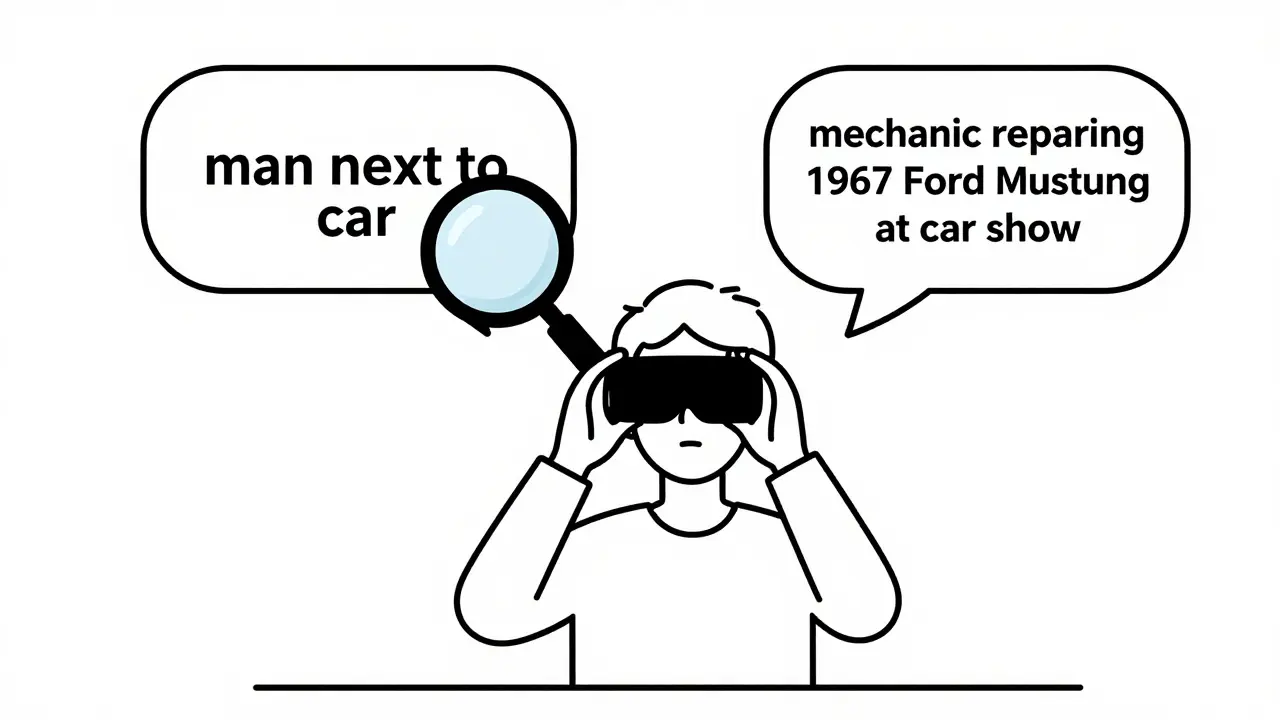
Take alt text. A generative AI tool might automatically write “a man standing next to a car” for an image of a person fixing a vintage motorcycle. That’s technically accurate-but it misses the point. The real purpose? To show a mechanic repairing a 1967 Ford Mustang at a classic car show. Without context, a screen reader user gets a flat, useless description. AI can’t judge intent. Only humans can.
That’s why the Bureau of Internet Accessibility says AI can handle the “busywork” of accessibility-like fixing missing alt text or adjusting color contrast-but it can’t replace human judgment. You can’t automate empathy. You can’t code context.
AI Can’t Certify Compliance-Only Help With It
Ask ChatGPT or Gemini if a piece of code meets WCAG 2.2 Level AA standards. What do they say? They don’t give you a yes or no. They say, “I can’t certify compliance. Use automated tools and manual testing.” That’s not a bug-it’s a feature of their design. These models know their limits.
Research from ACM tested six websites generated by AI models. Not one fully passed WCAG 2.2. Many had broken heading hierarchies, missing form labels, or unstructured content. The AI didn’t “fail”-it just didn’t understand the deeper logic of accessibility. It didn’t know that a heading should signal a change in topic, not just look bigger.
So what’s the role of AI here? It’s not a compliance engine. It’s a helper. A tool. You can prompt it to “write this product description using semantic HTML with H2 and H3 headings, plain language, and alt text that explains the function, not just the appearance.” That’s a smart prompt. But you still have to check it.
Assistive Technology Doesn’t Care How It Was Made
Screen readers don’t ask if a caption was written by a human or an AI. Keyboard users don’t care if the focus order was coded by a developer or generated by a bot. If the tab order jumps randomly, if buttons aren’t labeled, if color contrast is too low-accessibility tools break. And so do users.
Massachusetts state guidelines make this crystal clear: the AI product itself must be accessible. Not just its outputs. The interface you use to talk to the AI-whether it’s a chat window, a voice command system, or a button on a mobile app-must also follow WCAG. If the user can’t navigate the tool to ask for help, they can’t use the tool at all.
That means your AI chatbot needs focus indicators. It needs ARIA labels. It needs keyboard traps removed. It needs to work with speech recognition. And yes-that applies to every feature you build, even if it’s powered by a third-party API.
Automated Tools Are Necessary, But Not Enough
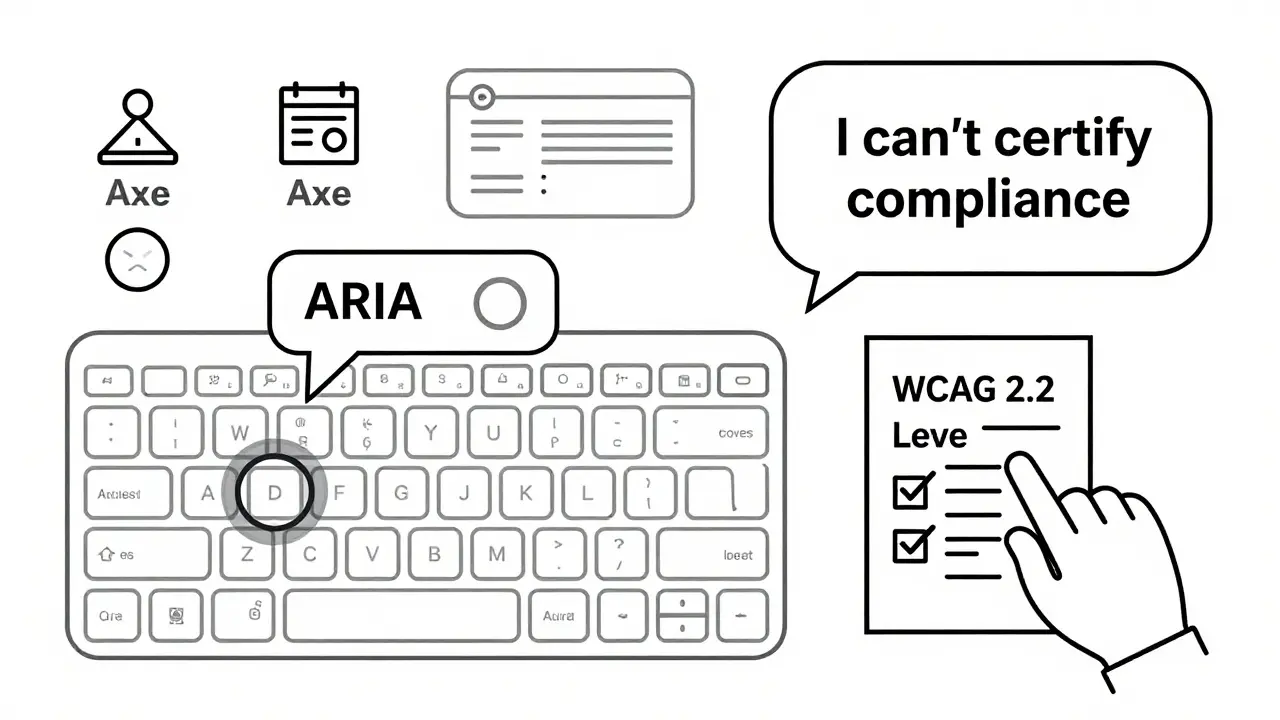
Companies are turning to tools like AudioEye, Axe, and Lighthouse to scan AI-generated content. These tools catch 60-70% of common issues: missing alt text, low contrast, empty links. That’s helpful. But they miss the rest.
Here’s what automated tools can’t catch:
- Is the alt text accurate to the image’s purpose?
- Does the content flow logically for someone using a screen reader?
- Are form instructions clear enough for someone with cognitive disabilities?
- Does the tone feel inclusive, or does it accidentally stereotype?
That’s where manual review comes in. And not just by a compliance officer. You need real users with disabilities testing your AI outputs. Not because it’s nice to have. Because it’s the only way to know if it actually works.
Infosys recommends building accessibility into your workflow-not tacking it on at the end. Train your writers. Train your designers. Train your AI prompt engineers. Teach them what semantic HTML looks like. Teach them why alt text matters. Teach them how to ask the right questions: “Will this work for someone who can’t see?” “Can this be navigated without a mouse?”
WCAG Makes AI Better-Even for Search Engines
Here’s the twist: following WCAG doesn’t just help people with disabilities. It helps AI bots too.
Search engines, content crawlers, and AI indexing systems rely on clean structure, clear headings, and machine-readable labels. A website with proper alt text, semantic headings, and logical navigation isn’t just accessible-it’s optimized for AI interpretation. That means better search rankings. Better content understanding. Better performance across platforms.
WCAG compliance creates a feedback loop. When you build for accessibility, you build for clarity. And clarity is what AI needs to understand your content. So even if you’re not thinking about users with disabilities, you’re still helping your AI tools work better.
Compliance Isn’t Optional-And the Cost of Ignoring It Is Real
The Department of Justice has filed multiple lawsuits against companies whose AI-powered customer service tools were inaccessible. One case involved a bank’s chatbot that couldn’t be operated with a keyboard. The result? A settlement, a public report, and a forced redesign. The cost? Far more than hiring a tester.
Legal risk isn’t the only cost. Reputational damage hits harder. People remember when a company excludes them. They remember when a chatbot can’t answer their question because it doesn’t support screen readers. They remember when an AI-generated image has no description, and they’re left guessing.
There’s no exemption for speed. No loophole for “it was generated by AI.” The law treats AI content exactly like human content. If it’s public, it must be accessible. Period.
What You Need to Do Right Now
Here’s your checklist:
- Define your accessibility standard: Use WCAG 2.2 Level AA. No exceptions.
- Train your team: Writers, designers, developers-all need basic accessibility training. No one should be left guessing.
- Prompt with accessibility in mind: Don’t just ask for “a description.” Ask for “a plain-language description with semantic headings and alt text that explains function, not just appearance.”
- Test everything: Run automated scans-but always follow up with manual review. And include users with disabilities in your testing.
- Monitor continuously: AI models change. Standards evolve. Your checks need to too.
There’s no magic button. No AI tool that says, “This is fully compliant.” But there is a clear path: build accessibility into your process, not as an afterthought, but as a core requirement. Because in the end, accessibility isn’t about compliance. It’s about inclusion. And if your AI doesn’t include everyone, it’s not working right.
Do accessibility regulations apply to AI-generated content?
Yes. Under the ADA and Section 508, all public-facing digital content-including text, images, audio, and video generated by AI-must comply with WCAG 2.2 Level AA standards. There are no exceptions based on how the content was created.
Can generative AI automatically make content accessible?
AI can help fix simple issues like missing alt text or low contrast, but it cannot replace human judgment. It can’t determine if alt text accurately reflects context, if content flows logically for screen reader users, or if instructions are clear for people with cognitive disabilities. Manual review is required.
What WCAG requirements apply to AI interfaces?
The interface you use to interact with AI tools must also be accessible. This includes keyboard navigation, screen reader compatibility, proper form labels, focus indicators, and speech recognition support. Accessibility applies to both the input (how you talk to the AI) and the output (what the AI generates).
Is using AI to generate alt text a good idea?
It can be a starting point, but never the final step. AI-generated alt text often lacks context. For example, it might say “a woman holding a cup” when the real purpose is to show a person taking medication. Always manually review and revise AI-generated alt text to ensure accuracy and relevance.
What happens if my AI product isn’t accessible?
You risk legal action under the ADA or Section 508, including lawsuits, fines, and mandatory redesigns. Beyond legal consequences, you lose trust with users who rely on accessibility features. Excluding people with disabilities harms your brand and limits your audience.
How can I test AI-generated content for accessibility?
Use automated tools like Axe or Lighthouse to catch common issues, but always follow up with manual testing. Involve users with disabilities in your testing process. Review content with screen readers, keyboard-only navigation, and speech recognition tools. Document findings and iterate.
Should I train my team on accessibility?
Yes. Everyone who creates, designs, or prompts AI content should understand basic accessibility principles: semantic HTML, alt text best practices, color contrast, and keyboard navigation. Training reduces errors before content is published and builds a culture of inclusion.
 Artificial Intelligence

Ben De Keersmaecker
March 7, 2026 AT 08:14Had a client last week who used AI to generate product images for their e-commerce site. No alt text. No context. Just ‘person holding object.’ One user with low vision reached out-said they couldn’t tell if it was a coffee mug or a medical device. That’s not a design flaw. That’s a safety issue. AI’s great for speed, but empathy? Nah. That’s still human work.
And yeah, WCAG doesn’t care if you used GPT-4 or a intern. If it’s public, it’s your responsibility.
Aaron Elliott
March 8, 2026 AT 02:33One must interrogate the ontological underpinnings of accessibility regulation as applied to synthetic content. If the artifact is generated by an algorithm devoid of intentionality, can it be said to ‘violate’ a normative framework predicated on human agency? The legal apparatus presumes intent-yet AI lacks volition. Ergo, liability is misdirected. The true culprit is not the model, but the human actor who deploys it without oversight. The law, in its current form, is an anachronism.
Chris Heffron
March 9, 2026 AT 07:10Yeah, I get what you're saying 😊 But honestly? Most companies just slap on AI-generated alt text and call it a day. ‘A dog in a park’ - cool. But what if it’s a guide dog helping a blind person cross the street? That’s not ‘a dog.’ That’s life-saving context. We’re not even close to automating nuance. And don’t get me started on color contrast… 😅
Adrienne Temple
March 10, 2026 AT 17:18I love how this post breaks it down so simply. Seriously. I train new hires at my nonprofit, and I tell them: ‘If you wouldn’t say it out loud to someone who can’t see, don’t write it.’
AI doesn’t know if ‘a man and a woman’ is a couple, coworkers, or strangers. It doesn’t know if ‘blue button’ means ‘submit’ or ‘cancel.’
And here’s the thing-it’s not about being perfect. It’s about trying. One team started asking their users: ‘What’s one thing that broke for you today?’ Boom. 3 weeks later, they fixed 12 things they didn’t even know were broken. Just listen. 🙏
Sandy Dog
March 11, 2026 AT 21:09OH MY GOD I JUST HAD A NIGHTMARE ABOUT THIS. So my company rolled out an AI chatbot for customer service last month. No keyboard nav. No screen reader support. I asked, ‘Wait, what if someone can’t use a mouse?’ And my boss said, ‘They can just call.’
CALL?! In 2025?!
Then last week, a deaf user tried to use it with speech-to-text. The bot kept misinterpreting ‘I need help’ as ‘I need a ham sandwich.’
I cried. I screamed. I sent a 12-page rant to HR. They’re now ‘reviewing accessibility protocols.’ Translation: they’re panicking. But hey-at least now they’re listening. 🤦♀️💔
Also, the alt text for the CEO’s photo said ‘man with glasses.’ I changed it to ‘CEO presenting annual report.’ I’m not sorry.
Nick Rios
March 12, 2026 AT 18:29Reading this reminded me of a project I worked on last year. We used AI to generate captions for training videos. At first, we trusted it. Then we tested with a user who’s been blind since birth. She said, ‘It sounds like a robot describing a sunset.’
We paused everything. Sat down. Rewrote every caption by hand. Took twice as long. But now? Our completion rates jumped 40%.
It’s not about checking a box. It’s about connection. AI helps us scale. But only humans can make it meaningful.
Johnathan Rhyne
March 13, 2026 AT 23:18Oh, here we go. Another ‘AI is evil’ manifesto wrapped in WCAG jargon. Let me guess-you also think Siri should apologize for not understanding your accent? Or that Alexa needs to hug you after it mishears ‘play Nirvana’ as ‘play narwhals’?
Here’s the truth: no one expects perfection from machines. But we DO expect accountability from the humans who deploy them. If your AI generates garbage alt text, that’s not a ‘legal risk’-it’s a training failure. Fix the prompt, not the policy.
Also, ‘semantic HTML’? Bro, you’re not building a 2008 blog. Modern frameworks handle most of this. Stop fetishizing markup. Build smart interfaces, not compliance bingo cards.
Jawaharlal Thota
March 15, 2026 AT 01:45I want to share something from my team in India. We work with rural communities where many users access digital services via low-end phones and voice assistants. We tested an AI-generated product page with a user who’s visually impaired and uses a regional language voice interface.
The AI output was in perfect English, but the voice system couldn’t pronounce ‘e-commerce’ or ‘WPC’ (Web Product Catalog). The alt text said ‘woman in office’-but she needed to know it was a ‘solar panel installer’s toolkit.’
We didn’t fix it with tools. We fixed it by hiring three local users with disabilities to co-design the prompts. Now, our AI says: ‘This is a toolkit for installing solar panels on rooftops. Includes wrench, gloves, and measuring tape.’
It’s not about AI being smart. It’s about letting humans who live the experience shape the machine. That’s inclusion. That’s innovation. And yes-it’s also the law. But more than that-it’s right.