
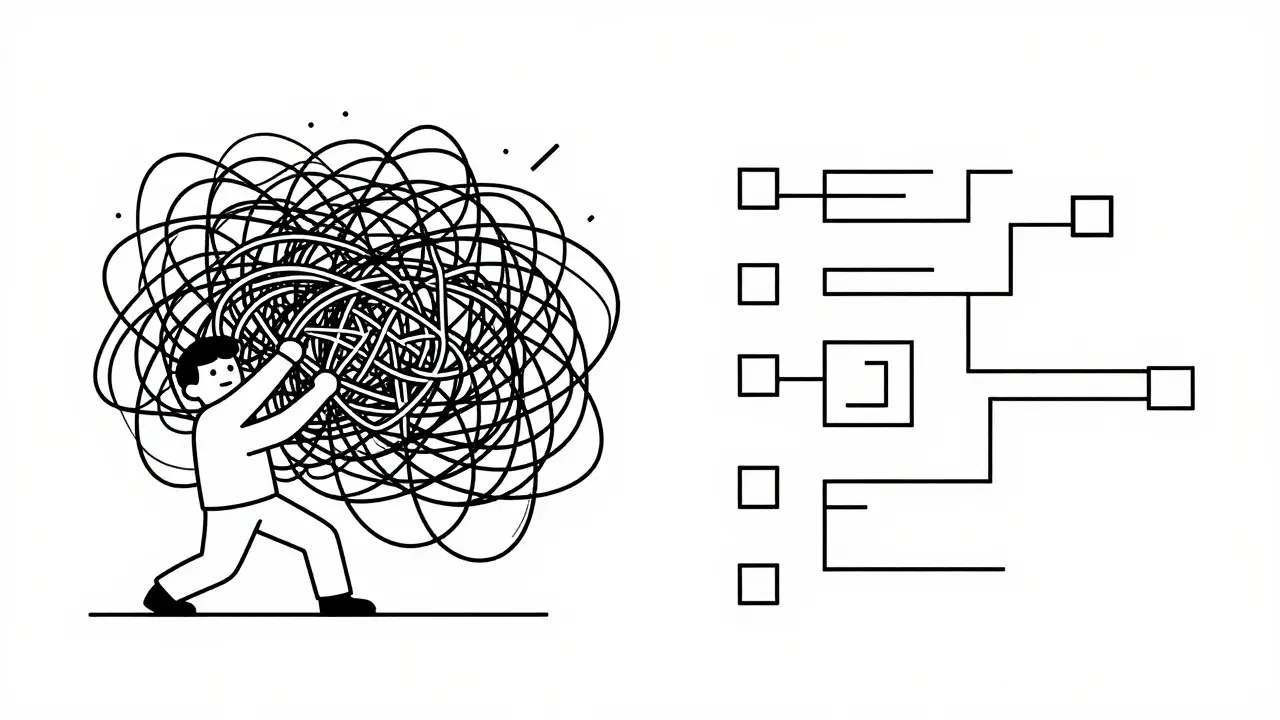
Most developers treat AI coding assistants like magic wands. You type a vague request, get some code back, and hope it works. But here is the harsh reality: if your prompt is messy, your code will be too. That "quick fix" you generated yesterday becomes a tangled mess of bugs and confusion by next week. This isn't just bad luck; it's bad prompting.
The secret to clean, lasting code isn't just knowing how to code-it's knowing how to ask. Writing maintainable prompts means designing instructions that force the AI to prioritize readability, structure, and future-proofing over raw speed. When you do this right, you aren't just generating code; you're building a foundation that other developers (and future you) can actually work with.
Why Your Current Prompts Are Creating Technical Debt
Think about the last time you asked an AI to "write a function to calculate tax." What did you get? Probably something that worked but was hard to read, lacked error handling, and didn't fit your project's style. This happens because generic prompts lead to generic output. According to GitHub's 2024 Copilot impact study, using specific, maintainability-focused prompts reduces the need for code refactoring by 37% compared to these vague requests.
When you skip the details in your prompt, the AI fills in the blanks with its best guess-and often chooses the path of least resistance. It might use global variables, skip comments, or ignore edge cases. This creates hidden technical debt. You save five minutes now, but spend two hours later untangling the logic. The goal of maintainable prompting is to shift that effort upstream, into the instruction phase, where it costs nothing but thought.
The Five Pillars of Maintainable Prompting
To stop generating spaghetti code, you need to structure your prompts around five core principles. These aren't just nice-to-haves; they are non-negotiable requirements for production-ready software.
- Clarity Over Cleverness: Explicitly ask for straightforward, self-documenting code. Tell the AI to avoid obscure tricks or overly complex one-liners. If a junior developer can't read it, the prompt failed.
- Modularity: Demand separation of concerns. Ask the AI to break large tasks into smaller, reusable functions. A single massive block of code is a nightmare to debug; small, focused units are easy to swap out.
- Comprehensive Documentation: Don't just ask for code. Ask for explanations. Require the AI to include comments that explain the "why" behind complex logic, not just the "what." This turns code into a learning tool for your team.
- Consistent Patterns: Reference your existing codebase. Tell the AI to follow the naming conventions, directory structures, and design patterns already in place. Consistency reduces cognitive load for everyone working on the project.
- Future-Proof Design: Consider extensibility. Ask the AI to design interfaces that allow for new features without rewriting the core logic. However, balance this with caution-don't design for hypothetical scenarios that may never happen.
Specificity Is Your Best Friend
Vague adjectives like "clean" or "efficient" mean different things to different models. To get consistent results, you need concrete constraints. Badal Khatri’s analysis of 1,200 prompt iterations showed that successful maintainability prompts contain an average of 5.7 explicit quality constraints, compared to just 2.3 in ineffective ones.
.Instead of saying "handle errors," say "implement try-catch blocks with informative error messages for network failures and invalid inputs." Instead of "make it secure," say "sanitize all user inputs to prevent SQL injection and XSS attacks." The more specific you are, the less room there is for the AI to cut corners.
Dr. Sarah Chen from Google AI noted in her 2024 IEEE presentation that referencing existing implementation patterns in prompts reduces code inconsistency by 63%. So, don't just ask for a new feature. Say, "Create a new method in the UserProcessor class following the same functional approach used in the transformPaymentData method." This anchors the AI in your existing architecture.

Avoiding the Trap of Over-Engineering
While specificity is crucial, there is a fine line between detailed and over-engineered. Anthropic’s official documentation warns against adding error handling, fallbacks, or validation for scenarios that simply cannot happen. This leads to bloated code that is harder to read and maintain.
The right amount of complexity is the minimum needed for the current task. If you are writing a simple script to rename files, you don't need a full-fledged logging system or database connection pooling. Keep the prompt focused on the immediate problem. As Dr. Elena Rodriguez pointed out at the ACM Conference, we must balance maintainability requirements with space for creative solutions. Over-constraining the AI can stifle innovation and lead to rigid, brittle code.
Iterative Refinement: The Secret Weapon
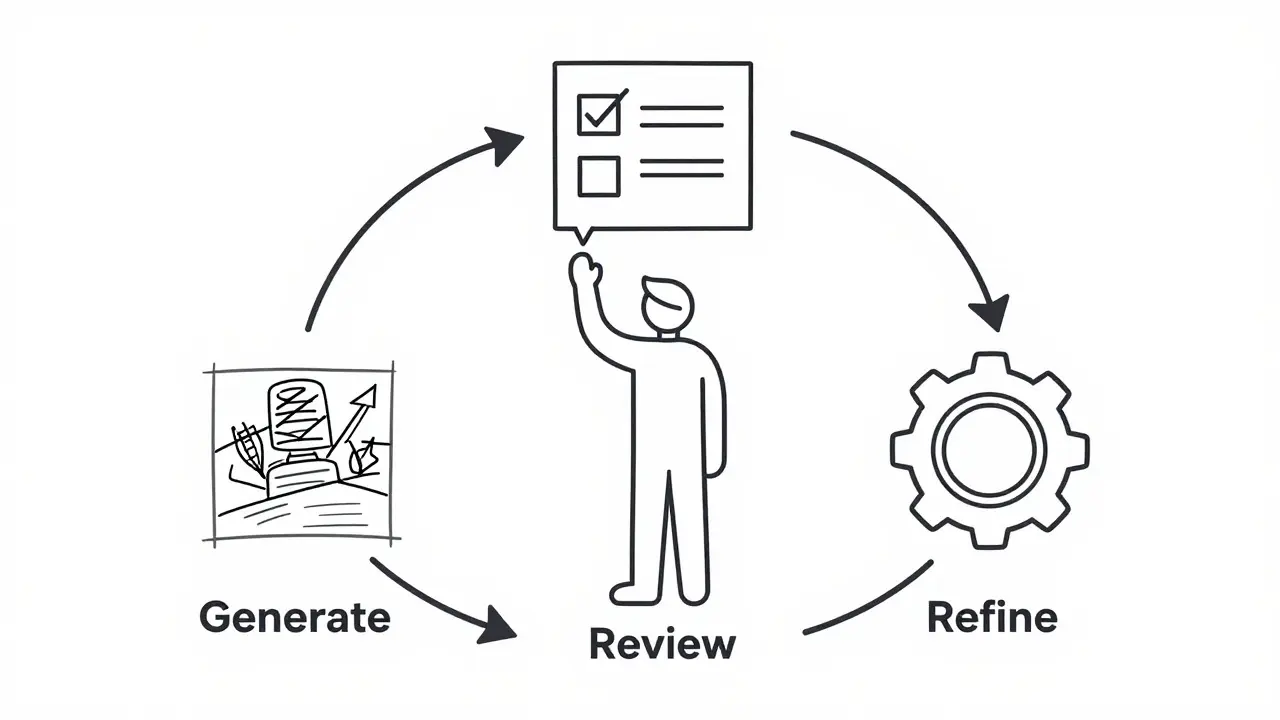
Rarely does the first prompt produce perfect code. The most effective developers treat prompting as an iterative process. Start with a broad outline, then refine based on the output.
- Generate: Ask for the initial code with your core maintainability constraints.
- Review: Critically examine the output. Look for missing edge cases, poor variable names, or lack of comments.
- Refine: Provide specific feedback. For example, "Refactor the previous code to use the Strategy pattern for better testability" or "Add comprehensive error handling for timeout scenarios."
- Self-Correction: Ask the AI to review its own code. A prompt like "Review the above code for security vulnerabilities, performance bottlenecks, and maintainability issues" can catch 17% more edge cases before implementation, according to community data from GitHub users.
This back-and-forth dialogue helps you guide the AI toward higher quality results. It also trains you to think more critically about code structure, improving your own skills along the way.
Context Is King: Leveraging Your Codebase
AI models don't know your project unless you tell them. One of the biggest mistakes developers make is treating each prompt in isolation. To generate truly maintainable code, you need to provide context.
If you are using tools like GitHub Copilot or Cursor, leverage their ability to read multiple files. Include relevant snippets from your existing codebase in the prompt. Show the AI how you handle authentication, how you structure your API responses, and what libraries you prefer. This ensures the new code integrates seamlessly rather than feeling like a foreign object pasted into your repository.
Dr. Michael Rodriguez from Stanford University’s AI Lab described effective maintainability prompts as "mini-architectural specifications." They guide not just what to build, but how it should integrate with existing systems. By providing this context, you ensure consistency across your entire application.
| Feature | Generic Prompt | Maintainable Prompt |
|---|---|---|
| Focus | Immediate functionality | Long-term health & readability |
| Specificity | Vague (e.g., "make it work") | Explicit constraints (e.g., "use TypeScript interfaces") |
| Documentation | Minimal or none | Required inline comments explaining 'why' |
| Error Handling | Often ignored | Explicitly defined for edge cases |
| Time Investment | Low (5-10 mins) | Higher (15-25 mins), but saves debugging time |
| Result | High refactoring needs | 37% less refactoring needed |
When to Skip the Complexity
Maintainability prompting isn't always the right choice. If you are writing a one-off script to parse a CSV file or a disposable prototype for a hackathon, spending 20 minutes crafting a detailed prompt is inefficient. In these cases, speed matters more than longevity.
Anthropic’s guidelines recommend using the minimum complexity needed for the current task. Save the rigorous maintainability prompts for production code, libraries, and features that will be touched by multiple developers over months or years. Know when to optimize for speed and when to optimize for stability.
Building a Team-Wide Standard
If you work in a team, individual prompting habits can lead to inconsistent code quality. To solve this, create a shared library of prompt templates. Document your team's coding standards, preferred design patterns, and documentation requirements. Make these templates easily accessible so every developer starts with the same high-quality baseline.
This approach has shown remarkable results. The Vibe Coding Framework reported a 41% faster onboarding time for new developers working with code generated from maintainability-focused prompts. When everyone follows the same structural rules, the codebase becomes predictable and easier to navigate.
Encourage your team to share successful prompts and common pitfalls. Create a culture where reviewing prompts is as important as reviewing code. This collective knowledge base will continuously improve the quality of your AI-generated output.
What makes a prompt "maintainable"?
A maintainable prompt explicitly asks for code that is readable, well-documented, modular, and consistent with existing project standards. It prioritizes long-term ease of modification over short-term speed of generation.
How much time should I spend crafting a maintainable prompt?
Expect to spend 15-25 minutes crafting a high-quality maintainable prompt for complex tasks. While this is longer than generic prompting, studies show it yields a 3.2x return in reduced debugging and refactoring time.
Can I use maintainable prompts for quick scripts?
Generally, no. For one-off scripts or disposable prototypes, the overhead of detailed maintainability constraints outweighs the benefits. Use simpler prompts for temporary code and reserve detailed prompts for production systems.
How do I ensure the AI follows my coding standards?
Provide examples of your existing code in the prompt. Reference specific files, classes, or methods that demonstrate the desired style. Explicitly state naming conventions, error handling practices, and documentation requirements.
Is there a risk of over-engineering with these prompts?
Yes. If you demand excessive error handling or abstract layers for simple tasks, the code becomes bloated and hard to read. Always tailor the complexity of the prompt to the actual needs of the task, avoiding hypothetical future requirements.
 Artificial Intelligence
Joe Walters
July 19, 2026 AT 00:07lol another article telling us how to do our jobs right like we dont know better already. its not rocket science you just gotta think before you type instead of copy pasting garbage from stackoverflow and calling it a day. most devs here are too lazy to read the docs so they blame the ai for their own incompetence. i mean seriously who needs modularity when you can just write one big function and pray it works? oh wait that's exactly what this post is saying don't do. typical corporate buzzword bingo.
Robert Barakat
July 20, 2026 AT 23:37The act of prompting is merely a mirror reflecting the chaos within the coder's mind. We seek order in the machine but bring only entropy. The code is not broken; our intent is fractured.
Michael Richards
July 22, 2026 AT 20:00Stop making excuses for bad engineering. If your code is spaghetti, it’s because you’re sloppy, not because the AI misunderstood you. You need to enforce strict standards or get out of the way. This isn’t about ‘nice-to-haves’; it’s about professional competence. If you can’t articulate a clear requirement, you have no business writing production code. Period.
Laura Davis
July 24, 2026 AT 14:53I totally agree with the part about context being king! It’s so frustrating when people treat AI like a magic 8-ball instead of a collaborator. But let’s be real, if you’re spending 20 minutes crafting a prompt for a simple script, you’re overthinking it. Balance is key, folks! Don’t let perfectionism paralyze you. Just keep iterating and learning!
Lisa Nally
July 25, 2026 AT 15:09Oh my gosh, finally someone said it! The sheer audacity of expecting clean output from vague input is staggering. I’ve seen so many junior devs try to wing it with zero architectural foresight, resulting in absolute disaster zones. It’s not just about syntax; it’s about semantic precision and cognitive load management. If you aren’t documenting the 'why', you’re failing your future self. It’s literally basic software engineering hygiene.
Edward Gilbreath
July 26, 2026 AT 12:11its all a scam to sell more enterprise licenses. github wants you to spend hours prompting so they can charge you more for copilot business tier. ignore the stats they are made up by marketing teams. just use vim and suffer like a real developer
kimberly de Bruin
July 27, 2026 AT 09:14we are dancing with ghosts in the machine thinking we control them but really we are just feeding the beast our own patterns back to us. is it code or is it a reflection of our collective unconscious?
Edward Nigma
July 27, 2026 AT 13:51This advice is fundamentally flawed because it assumes the AI is a deterministic tool rather than a probabilistic model. By over-constraining the prompt, you actually reduce the diversity of potential solutions, which is counter-intuitive to innovation. Also, the claim that specific prompts reduce refactoring by 37% is anecdotal at best and ignores the variability of different LLM architectures. Stop listening to tech bros selling snake oil.