You know the feeling. You spend hours crafting the perfect prompt for your large language model (LLM). You ask it to extract customer data, format a report, or parse a resume. The text looks great in the chat window. But when you try to feed that output into your database or API, everything breaks. Why? Because the LLM added a stray comma, missed a closing bracket, or decided to wrap a number in quotes when it shouldn't have. Schema-constrained prompts are a technical approach that forces LLMs to produce valid, structured JSON output by restricting token generation to match a predefined schema before the response is even created. This isn't just about asking nicely for JSON anymore. It is about building guardrails that make structural errors impossible.
In production environments, reliability is non-negotiable. If your pipeline crashes because an LLM hallucinated a syntax error, you don't have time to fix it manually. Schema constraints solve this by shifting the validation step from post-processing to pre-generation. Instead of hoping the model gets it right and then writing complex parsers to clean up the mess, you define the rules upfront. The model can only generate tokens that fit those rules. This approach transforms LLMs from creative writers into precise data engines.
Why Traditional Prompting Fails at Structure
Most developers start with naive prompting. You tell the model, "Output this as JSON." Sometimes it works. Often, it doesn't. Even with advanced prompt engineering-where you provide examples and strict instructions-the model remains probabilistic. It predicts the next word based on patterns, not logic. A pattern might suggest adding a trailing comma, which is valid in JavaScript but invalid in standard JSON. Or it might forget to close an object if the context window gets crowded.
Consider a simple task: extracting user profiles. You want names, ages, and email addresses. With standard prompting, the model might return:
- Valid JSON but with wrong types (age as a string).
- Missing required fields.
- Malformed syntax due to creative interpretation.
How Constrained Generation Works Under the Hood
The magic of schema-constrained generation lies in its mechanism. It doesn't rely on the model's memory or instruction-following capabilities alone. Instead, it uses a technique called constrained decoding. Here is how it functions:
- Schema Definition: You provide a JSON schema that outlines the required structure, data types, and constraints (e.g., maximum length, required fields).
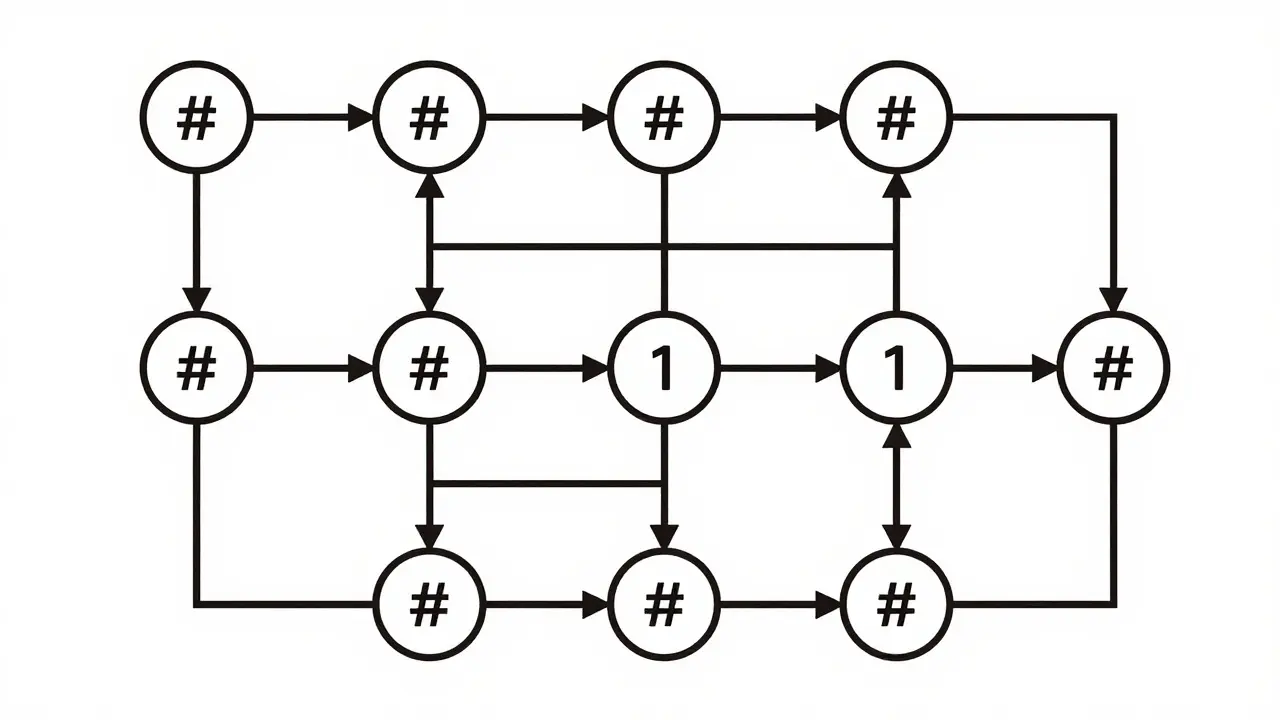
- Grammar Conversion: The system converts this schema into a formal grammar or a Finite State Machine (FSM). This FSM maps out every possible valid path through the JSON structure.
- Token Filtering: As the model generates each token, the system checks the current state of the FSM. It calculates which tokens are permissible next steps. All other tokens are filtered out by applying logit bias, effectively making their probability zero.
This ensures that the model never generates a token that violates the schema. If the schema expects a number next, the model cannot output a letter. If an object key is required, the model must provide it. This preventative approach stops invalid JSON from ever being created, rather than trying to repair it afterward.
Key Tools and Libraries for Implementation
Implementing schema constraints doesn't require building an FSM from scratch. Several libraries and tools have emerged to simplify this process, especially for local LLMs where native support might be lacking.
| Tool/Library | Primary Use Case | Key Feature | Complexity |
|---|---|---|---|
| local-llm-function-calling | Local LLM integration | JsonSchemaConstraint class with HuggingFace support | Medium |
| Datasette LLM Schema | Data exploration and querying | Command-line schema definitions in multiple formats | Low |
| Compressed FSM Systems | High-performance token filtering | Optimized state transitions for faster generation | High |
The local-llm-function-calling library is particularly popular for developers working with open-source models. It provides a JsonSchemaConstraint class that accepts schemas similar to OpenAI's specification. You can define properties, types, and even enforce field ordering. One practical tip: raw JSON output from these systems may contain extra characters at the end. Always use the constraint validator to truncate the response at the valid endpoint.
Datasette, a tool for exploring SQLite databases, also offers LLM schema features. It allows you to pass schema definitions via command-line options, supporting both full JSON objects and simplified notation like 'name,age int'. This makes it ideal for quick data extraction tasks without heavy coding overhead.
Trade-offs: Reliability vs. Performance
While schema constraints guarantee structural validity, they come with trade-offs. Understanding these is crucial for deciding when to use them.
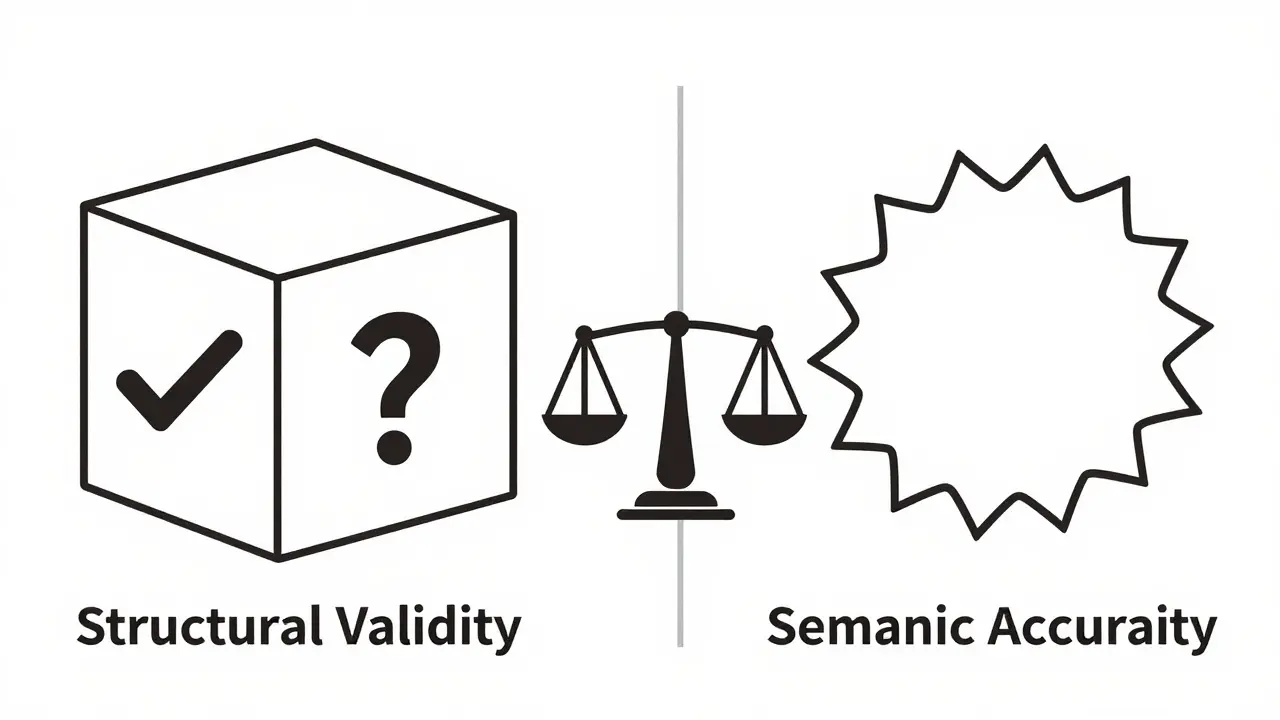
Accuracy Degradation: Some studies indicate that models using schema-constrained function calling can show degraded accuracy compared to simpler prompting techniques. The restriction on token choices can limit the model's ability to express nuanced answers, potentially leading to less semantically accurate content even if the structure is perfect.
Semantic vs. Structural Correctness: A critical distinction is that constraints ensure the output matches the schema, not that the content makes sense. A small model like GPT-2 might produce valid JSON with an age of -5 or a nonsensical name. The structure is correct, but the data is garbage. You still need to validate the semantic quality of the output separately.
Prompt Overhead: JSON schemas can be verbose. Including a complex schema in your prompt consumes valuable context window space. This can be inefficient for models with smaller limits, pushing important instructions out of the window.
When to Use Schema Constraints (And When Not To)
Not every task needs the heavy machinery of schema constraints. Here is a decision framework to help you choose the right approach:
- Use Schema Constraints When:
- You are integrating LLMs into automated pipelines where parsing failures cause system crashes.
- Data types and structures are rigid (e.g., financial transactions, database records).
- You need guaranteed compliance with API specifications.
- Avoid Schema Constraints When:
- The output is primarily for human consumption (e.g., summaries, creative writing).
- You are using very small models that struggle with complex reasoning regardless of structure.
- Flexibility in output format is more valuable than strict adherence to a schema.
For flexible tasks, consider lighter approaches like prompt engineering with clear examples or JSON mode if supported by your API. These methods offer a good balance of structure and performance without the computational overhead of constrained decoding.
Best Practices for Implementation
To get the most out of schema-constrained prompts, follow these best practices:
- Keep Schemas Simple: Complex nested schemas increase the risk of errors and consume more context. Flatten structures where possible.
- Validate Semantics Separately: Don't assume valid JSON means valid data. Implement additional checks for logical consistency (e.g., dates in the past, positive numbers).
- Test with Small Models First: Before deploying to production, test your schemas with smaller, faster models to catch structural issues early.
- Handle Truncation: Always account for potential extra characters in the raw output. Use validators to clean up the final JSON string.
By combining schema constraints with careful prompt design, you can build robust AI applications that deliver reliable, structured data every time. The goal isn't just to force JSON; it's to create a predictable interface between human intent and machine execution.
What is the difference between JSON mode and schema-constrained prompts?
JSON mode generally constrains the model to output only valid JSON syntax, but it does not enforce specific structures, types, or fields. Schema-constrained prompts go further by enforcing a detailed schema, including required fields, data types, and nested structures, ensuring the output matches a precise blueprint.
Do schema constraints guarantee accurate content?
No. Schema constraints only guarantee that the output conforms to the specified structure and data types. They do not verify the semantic accuracy or logical correctness of the content. A model can produce valid JSON with nonsensical values.
Which libraries support schema-constrained generation for local LLMs?
Popular libraries include local-llm-function-calling for HuggingFace models and Datasette for data exploration. These tools provide classes and commands to define and enforce JSON schemas during generation.
Why might schema constraints degrade model accuracy?
Constraining token choices limits the model's freedom to select the most probable next word. This can restrict its ability to express nuanced or complex ideas, potentially leading to less accurate or natural-sounding content, even if the structure is correct.
How do I handle extra characters in constrained JSON output?
Raw output from constrained generation may include trailing characters. Use the constraint validator provided by your library to identify the valid endpoint of the JSON structure and truncate any excess characters before parsing.
 Artificial Intelligence