
Running a 70-billion-parameter language model like Llama-2-70B on a single GPU? Impossible. Even the biggest consumer cards with 24GB or 48GB of VRAM can’t hold it. But what if you had four 24GB GPUs? Could you make it work? The answer is yes - and tensor parallelism is how you do it.
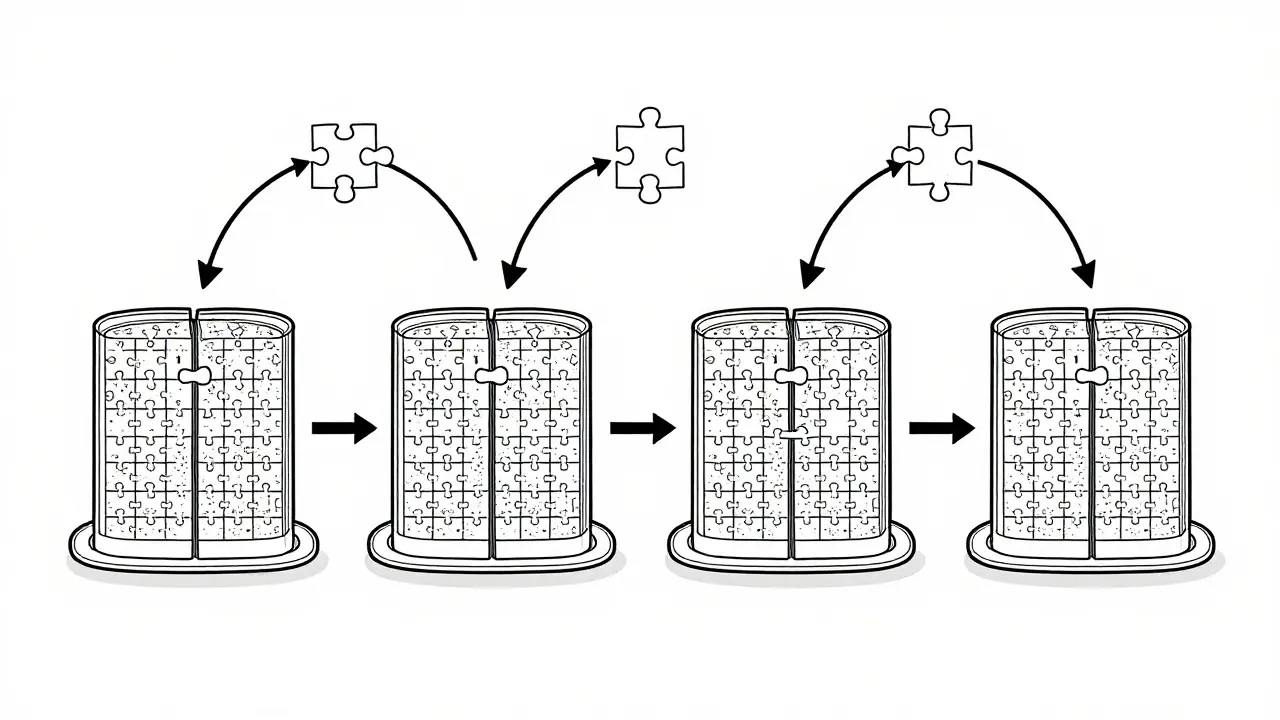
Tensor parallelism isn’t magic. It’s a clever way to split a massive neural network across multiple GPUs so each one handles a piece of the work. Think of it like cutting a giant jigsaw puzzle into smaller sections and handing each piece to a different person. Everyone works at the same time, and when they’re done, they put their pieces together. The result? A model too big for one GPU runs smoothly on a cluster of them.
How Tensor Parallelism Actually Works
At its core, tensor parallelism splits the weight matrices inside a neural network layer - not the layers themselves. This is different from pipeline parallelism, which hands off entire layers from one GPU to the next. With tensor parallelism, every layer gets chopped up horizontally.
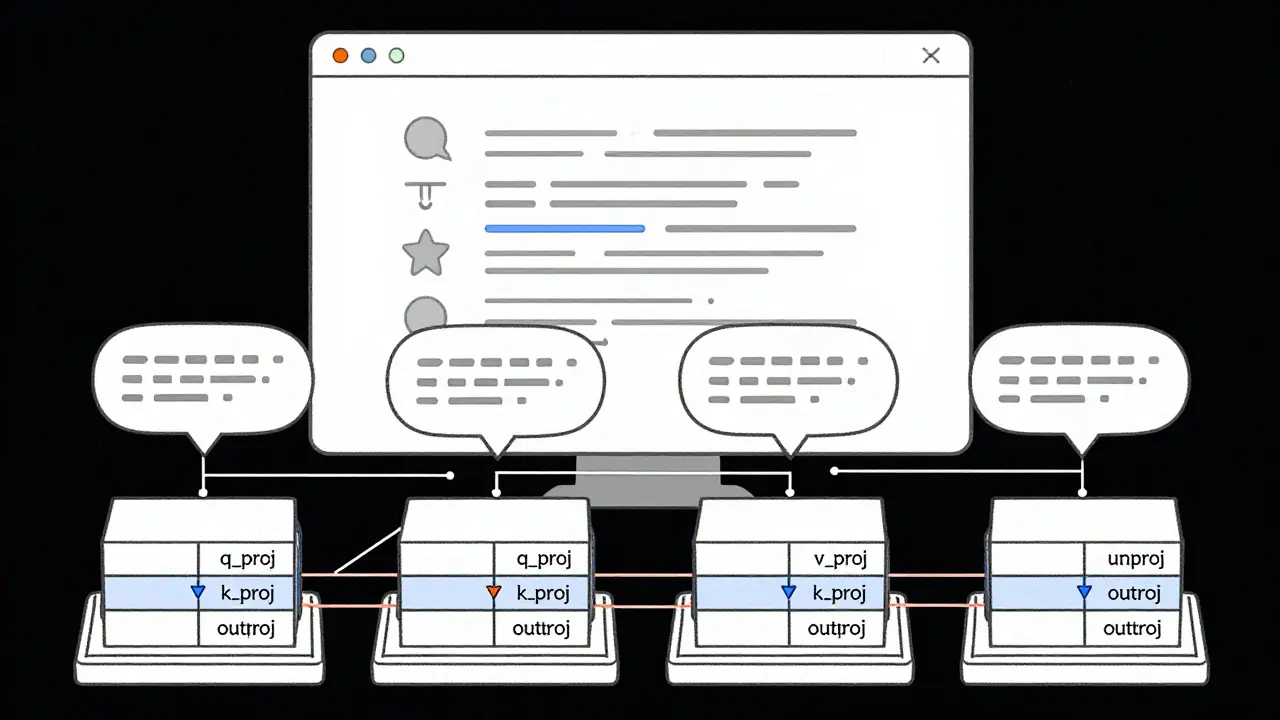
Take a simple attention layer in a transformer model. It has three main projections: query (q_proj), key (k_proj), and value (v_proj). Each of these multiplies the input by a large weight matrix. In tensor parallelism, each of those matrices is split along the feature dimension. For example, if you’re using 4 GPUs, each GPU gets 1/4 of the weights for q_proj, k_proj, and v_proj.
Here’s where it gets technical, but also practical:
- Column parallelism: Used for q_proj, k_proj, v_proj. Each GPU gets a slice of the output. The input is copied to all GPUs, each does its part, then the outputs are gathered back together.
- Row parallelism: Used for the output projection (out_proj). Each GPU gets a slice of the input. They compute partial results, then those are summed up using an all-reduce operation.
This split-and-recombine process happens at every layer. It’s not free - every time GPUs need to share data, there’s a delay. That’s why the interconnect between your GPUs matters more than you think.
Why NVLink Matters More Than You Realize
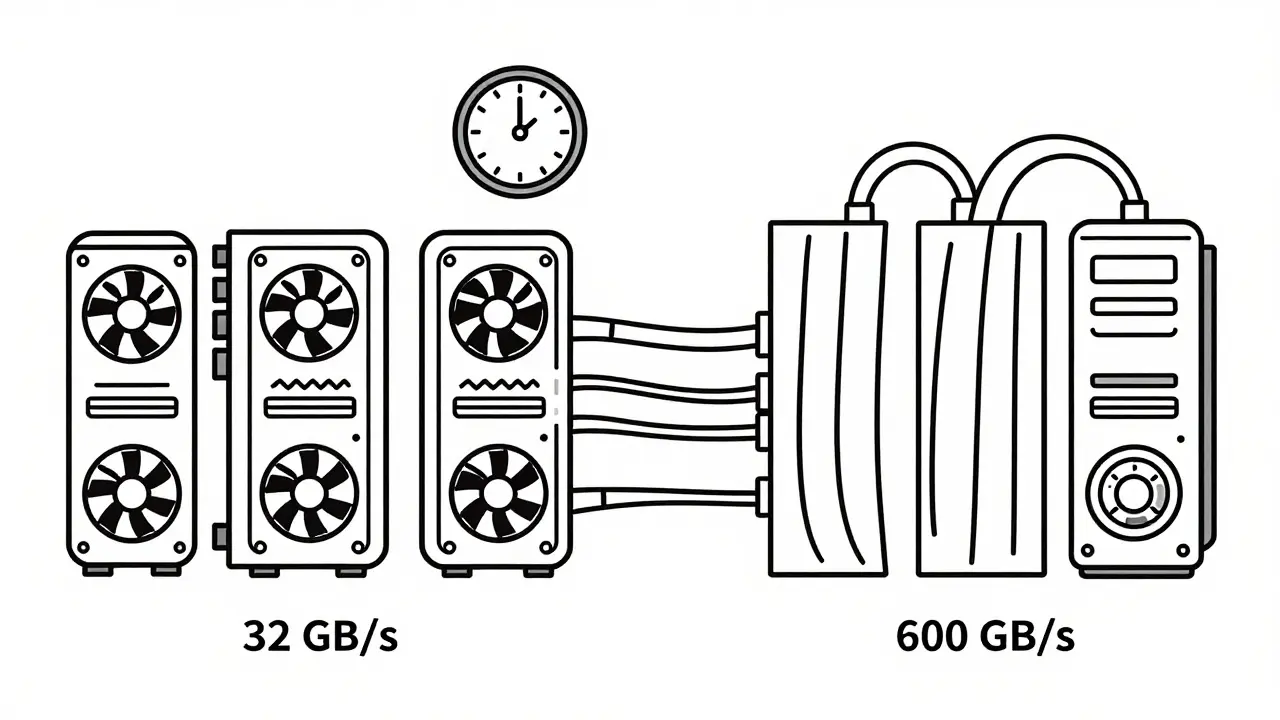
You can’t just plug four consumer GPUs into a regular desktop and expect tensor parallelism to work well. PCIe 4.0 offers about 32 GB/s of bandwidth. That’s barely enough to move data between GPUs before the next computation even starts. The result? GPUs sit idle waiting for data. You’re not using your hardware - you’re just moving data back and forth.
Enter NVLink. NVIDIA’s NVLink provides up to 600 GB/s of bidirectional bandwidth. That’s nearly 20x faster than PCIe. With NVLink, communication overhead drops by 35% or more. That’s the difference between a 3x speedup and a 1.5x speedup.
Real-world example: A 13B parameter model on 4x A100s with NVLink hits 3.2x faster inference than a single GPU. Without NVLink? You might only get 1.8x. The math doesn’t lie - if you’re serious about multi-GPU inference, NVLink isn’t optional. It’s the foundation.
Tensor Parallelism vs. Other Parallelism Strategies
People often confuse tensor parallelism with other techniques. Here’s how they differ:
| Technique | What It Splits | Best For | Latency Impact | Memory Savings |
|---|---|---|---|---|
| Tensor Parallelism | Weights within a layer | Single-node, high-throughput inference | Low (no pipeline bubbles) | High - enables models 2-5x larger than single-GPU limits |
| Pipeline Parallelism | Layers across GPUs | Multi-node, very large models | High - pipeline bubbles reduce utilization by 30-60% | Moderate |
| Data Parallelism | Entire model across GPUs | Bigger batch sizes, training | Low | None - each GPU holds full model |
| Expert Parallelism (MoE) | Experts (sub-networks) across GPUs | Mixture-of-Experts models | Very low for active experts | Very high - only loads relevant experts |
Tensor parallelism wins for single-node setups because it avoids the "pipeline bubbles" that plague layer-by-layer splitting. In pipeline parallelism, one GPU finishes its layer, waits for the next, then waits for the next - lots of idle time. Tensor parallelism keeps all GPUs busy at every step. That’s why it’s the go-to for latency-sensitive applications like chatbots or real-time APIs.
Real-World Performance: What You Can Actually Achieve
Let’s get concrete. According to NVIDIA’s April 2024 benchmarks:
- A 70B parameter model needs 140+ GB of VRAM to fit on a single GPU. No consumer card comes close.
- With tensor parallelism on 4x 80GB A100s, the same model runs with 70GB per GPU - well within limits.
- On 4x 24GB consumer GPUs (like RTX 4090s), models like Llama-2-70B or Mistral-7B can run at 15-20 tokens per second - enough for real-time chat.
But scaling isn’t linear. AMD’s ROCM April 2024 study found that TP=4 gives 3.2x speedup, but TP=8 only gets 5.1x - not 6.4x. Why? Communication overhead eats into gains. Each time GPUs sync data, they pause. With more GPUs, you’re syncing more often. That’s why most setups stop at 4-8 GPUs. Beyond that, the cost of moving data outweighs the benefit.
And here’s the kicker: if you’re using standard Ethernet or even InfiniBand without optimized drivers, you’re throwing away 30-50% of your potential speed. Tensor parallelism only works well on tightly coupled systems - like a single server with NVLink.
Frameworks That Make It Work
You don’t need to build tensor parallelism from scratch. The heavy lifting is done for you in these frameworks:
- NVIDIA TensorRT-LLM: The enterprise gold standard. Supports TP=1 to TP=16, with FP8 quantization in version 0.5 (May 2024) cutting communication volume in half.
- Hugging Face Text Generation Inference (TGI): Easy to deploy. Just set
--tensor-parallel-size=4and it handles the rest. - vLLM: Popular for open-source use. Known for high throughput and low latency. Still has occasional issues with TP>4 - check GitHub issues for fixes.
- DeepSpeed: Offers 3D parallelism (tensor + pipeline + data). Great for training, but overkill for simple inference.
Most users start with Hugging Face TGI. It’s stable, well-documented, and integrates with the rest of the Hugging Face ecosystem. If you’re running a production API, TensorRT-LLM is worth the enterprise support cost.
When Tensor Parallelism Fails - And How to Fix It
It’s not all smooth sailing. Here are the top three issues developers run into:
- Communication timeouts: If your GPUs can’t sync fast enough, processes hang. Fix: Increase NCCL timeout with
NCCL_BLOCKING_WAIT=1andNCCL_ASYNC_ERROR_HANDLING=1. - Uneven tensor splits: If your model has an odd number of attention heads and you use 3 GPUs, one GPU gets 3 heads, another gets 3, another gets 2. This breaks expectations. Fix: Use only tensor parallel sizes that divide evenly into your model’s layer dimensions (e.g., 2, 4, 8).
- Memory fragmentation: Even if total VRAM is enough, the split tensors might not fit in contiguous blocks. Fix: Use mixed precision (FP16 or BF16) and enable quantization (like INT4).
Reddit users report that 80% of their tensor parallelism issues are solved by just matching the tensor parallel size to the number of GPUs. Don’t guess - set it exactly.
Who’s Using This - And Why
According to Gartner, 75% of enterprise LLM deployments will use tensor parallelism by 2025. Why? Because it’s the only way to run models above 20B parameters without renting a supercomputer.
Financial services use it for real-time fraud detection with LLMs. Healthcare uses it for clinical note summarization. Startups use it to deploy models without paying for massive cloud instances.
Stanford’s Center for Research on Foundation Models found that 92% of production LLMs rely on tensor parallelism. That’s not a coincidence. It’s the standard. Bill Dally, NVIDIA’s Chief Scientist, put it bluntly: "Tensor parallelism is non-negotiable for models above 20B parameters."
What’s Next? The Future of Tensor Parallelism
The next big leap isn’t more GPUs - it’s smarter communication. NVIDIA’s TensorRT-LLM 0.5 uses FP8 quantization to cut data movement by 50%. vLLM is working on auto-configuring tensor parallelism so you don’t have to guess the right number. And researchers are already blending tensor parallelism with pipeline parallelism to handle multi-node deployments.
But here’s the truth: tensor parallelism won’t disappear. It’s not a trend. It’s infrastructure. Just like how every modern web app uses HTTP and TCP/IP, every serious LLM deployment now uses tensor parallelism. The question isn’t whether you need it - it’s whether you’re using it right.
Can I run tensor parallelism on consumer GPUs like RTX 4090?
Yes - but only if you have NVLink or a high-bandwidth PCIe 5.0 setup. Four RTX 4090s (24GB each) can run models like Llama-2-70B or Mistral-7B with tensor parallelism. You’ll need at least 96GB total VRAM, and you’ll get 15-20 tokens per second. Without NVLink, expect slower speeds due to PCIe bottlenecks. Tools like Hugging Face TGI and vLLM make this possible without custom code.
Is tensor parallelism the same as data parallelism?
No. Data parallelism runs the same model on multiple GPUs and splits the input batch. Each GPU has a full copy of the model. Tensor parallelism splits the model itself across GPUs - each GPU holds only a piece of the weights. Data parallelism increases batch size. Tensor parallelism enables larger models. They’re used together in advanced setups, but serve different purposes.
Why does tensor parallelism slow down after 8 GPUs?
Because communication overhead grows faster than compute gains. Each layer requires syncing data between all GPUs. With 8 GPUs, you’re doing dozens of all-gather and all-reduce operations per forward pass. The time spent waiting for data exceeds the time saved by splitting the work. Most setups max out at 4-8 GPUs because adding more doesn’t improve speed - it just adds cost and complexity.
Do I need to retrain my model to use tensor parallelism?
No. Tensor parallelism works on pre-trained models. You don’t need to retrain. Frameworks like Hugging Face TGI and TensorRT-LLM handle the splitting automatically during inference. The model weights are just redistributed across GPUs - no changes to the architecture or training data are needed.
What’s the easiest way to get started with tensor parallelism?
Use Hugging Face Text Generation Inference (TGI). Install it via Docker, then launch with --tensor-parallel-size=4 if you have 4 GPUs. It handles all the low-level details: model partitioning, communication, and memory management. No coding required. Just point it at your model and go. For most users, this is the fastest path to running large LLMs on multiple GPUs.
 Artificial Intelligence



Nicholas Zeitler
March 5, 2026 AT 06:38Tensor parallelism is such a game-changer-seriously, if you're trying to run anything over 20B parameters on a single GPU, you're just setting yourself up for frustration. I've tested this on four RTX 4090s, and while PCIe 5.0 isn't NVLink, it's surprisingly decent-got 18 tokens/sec on Llama-2-70B with Hugging Face TGI. The key? Match your tensor parallel size exactly to your GPU count. Don't guess. Don't wing it. Set it. And yes, FP16 + quantization saves your life when memory gets tight.
Also, NCCL_TIMEOUT settings? Non-negotiable. I lost two days debugging hangs until I added NCCL_BLOCKING_WAIT=1. Now it runs like a charm. If you're on consumer hardware, don't skip the config tweaks. They're not optional-they're your lifeline.
Teja kumar Baliga
March 5, 2026 AT 22:46Love this breakdown! As someone from India with limited access to A100s, I was skeptical about running 70B models on RTX 4090s-but your numbers changed my mind. Just set up a 4-GPU rig last week using vLLM, and it’s been smooth sailing. No retraining needed? Perfect. We’re using this for rural healthcare chatbots here, and it’s making a real difference. Thanks for the clarity!
Also, Hugging Face TGI is the way to go. Simple, reliable, and no PhD required. Keep sharing these practical tips!
k arnold
March 7, 2026 AT 16:25Oh wow, another ‘tensor parallelism is magic’ post. Let me guess-you’re also going to tell me NVLink is the secret sauce and that PCIe 4.0 is garbage? Newsflash: most of us don’t have $100k servers. I ran Llama-2-70B on two RTX 3090s over PCIe 4.0. Got 8 tokens/sec. It worked. It was slow. But it worked. So no, NVLink isn’t ‘non-negotiable’-it’s a luxury. Stop selling FOMO.
Also, ‘92% of production LLMs use this’? Citation? Or did you just make that up to sound smart? I’ve seen more fake stats in this thread than actual working deployments.
Tiffany Ho
March 8, 2026 AT 17:08michael Melanson
March 9, 2026 AT 10:51Just want to add that while tensor parallelism is essential, the real bottleneck isn't always the hardware-it's the software stack. I spent weeks trying to get DeepSpeed working for inference, only to realize TGI handled everything out of the box. The fact that you can deploy with a single Docker command and a flag like --tensor-parallel-size=4 is why this field is finally becoming accessible. No more PhDs required. Just good tooling.
Also, the point about communication overhead peaking around 8 GPUs? Spot on. We tried 16 GPUs once. The sync latency was worse than just using 8. Sometimes more isn't better. Just… better coordinated.